
Бюджет план. Бюджет факт. Всегда на виду.
Перерасход по стройке — самая частая причина, по которой кипрская застройка не дотягивает до целевой маржи. Модуль «Контроль бюджета» в Tektor отслеживает плановые и фактические расходы по фазам и по подрядчикам — в реальном времени — чтобы вы увидели проблему, когда она на 8 000 € сверху, а не когда на 80 000 €.
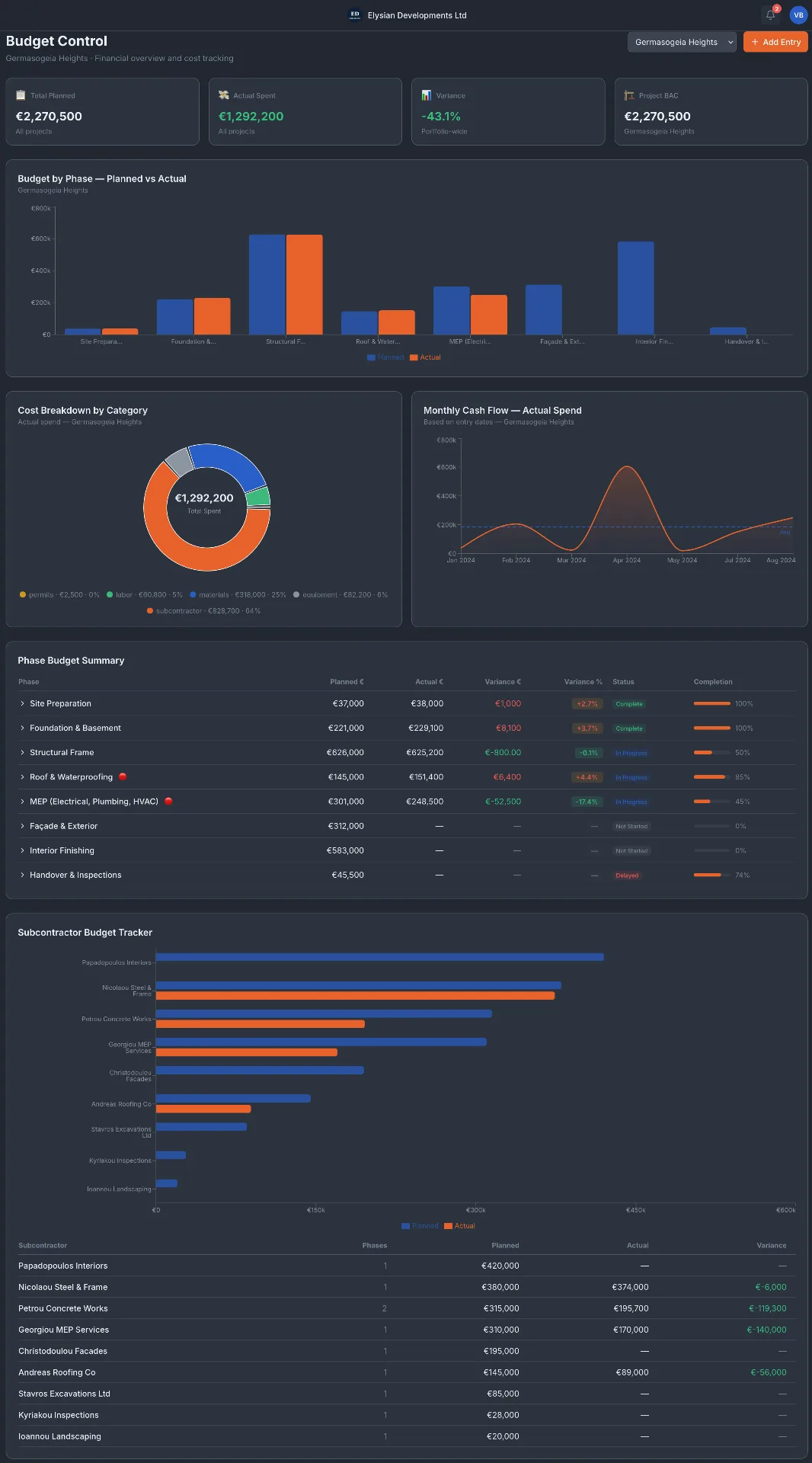
План против факта по каждой фазе строительства
Столбчатая диаграмма показывает плановый бюджет против фактических расходов по каждой фазе проекта — Подготовка площадки, Фундамент, Несущий каркас, Инженерные системы, Отделка и другие. Отклонение считается автоматически. Фазы с превышением бюджета помечаются сразу. Таблица «Сводка бюджета по фазе» ниже показывает точное отклонение в евро и процентах для каждой фазы.
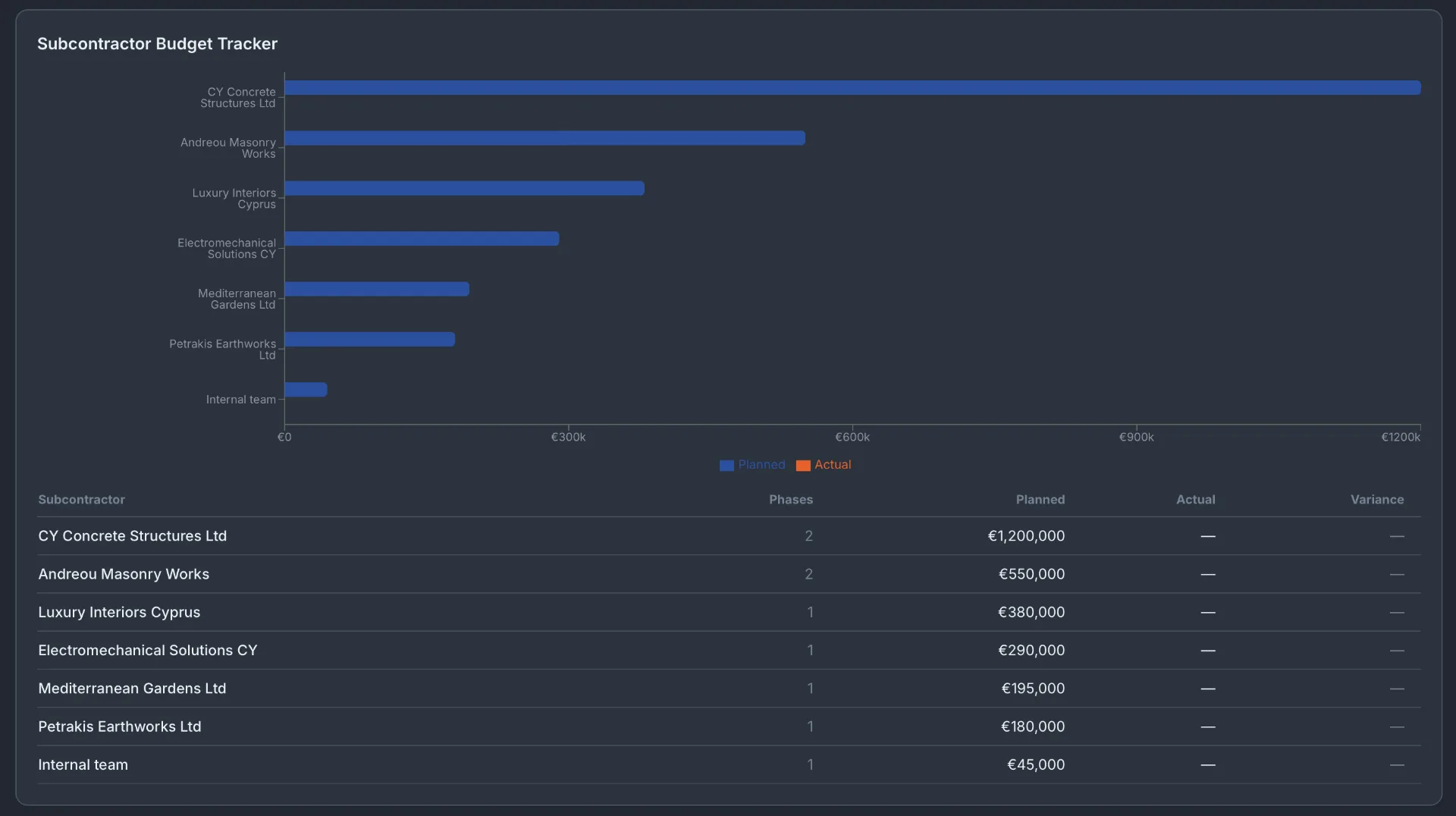
Трекер бюджета по подрядчикам
Плановый бюджет каждого подрядчика отслеживается относительно его фактически выставленных сумм по всем фазам и проектам. Вы сразу видите, кто из подрядчиков превысил бюджет, у кого осталась невыставленная работа и какова суммарная экспозиция по каждому подрядчику.
Разбивка затрат по категориям и месячный денежный поток
Кольцевая диаграмма разбивает фактические расходы по категориям: работы, материалы, подрядчики, оборудование и разрешения. График месячного денежного потока показывает фактические расходы по месяцам — так вы видите пики трат, планируете выборки из банка и прогнозируете остаток стоимости проекта.
Частые вопросы
Связан ли контроль бюджета с платежами подрядчикам?
Да. Заявки на оплату, внесённые в документооборот, автоматически обновляют фактические расходы подрядчика в трекере бюджета.
Можно ли отслеживать бюджет по нескольким проектам одновременно?
Да. Плитки KPI вверху экрана «Контроль бюджета» показывают итоги по всему портфелю — Всего план, Факт, Отклонение и Project BAC — по всем активным проектам.
Что такое Project BAC?
BAC — это Budget at Completion, суммарный плановый бюджет проекта в исходном виде. Используется для расчёта освоенного объёма и эффективности затрат по фазам строительства.
Можно ли экспортировать данные бюджета?
Экспорт бюджета в CSV и Excel доступен из таблицы «Сводка бюджета по фазе».
Закажите бесплатное 30-минутное демо
Реальные экраны. Ваш тип проекта. Без слайдов и продаж.