
Все ваши подрядчики. Упорядочены.
Типичная кипрская застройка задействует 10–15 подрядчиков, работающих в пересекающихся фазах — несущий каркас, инженерные системы, фасады, интерьеры и другое. Tektor держит назначенные фазы, распределение бюджета и документы каждого подрядчика на одном экране, чтобы ничего не терялось в зазоре между сообщением в WhatsApp и подписанным договором.
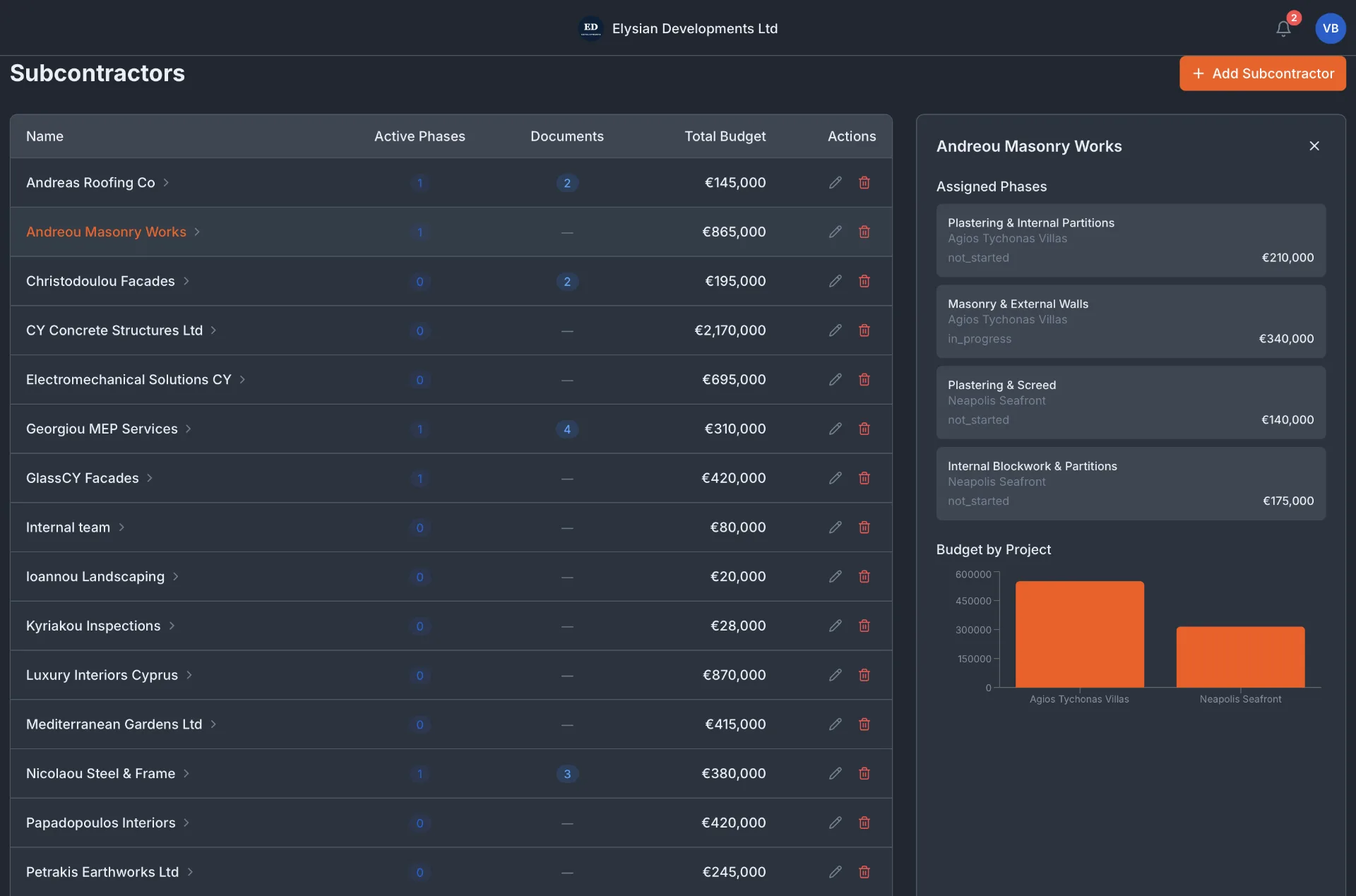
Список подрядчиков с видимостью бюджета и фаз
Каждый подрядчик — в общем списке с его активными фазами, числом документов и суммарным бюджетом по всем вашим проектам. Нажмите на любого подрядчика, чтобы увидеть, на какие фазы он назначен, в каких проектах, и его расходы «план против факта».
Документооборот — договоры, платежи, проверки
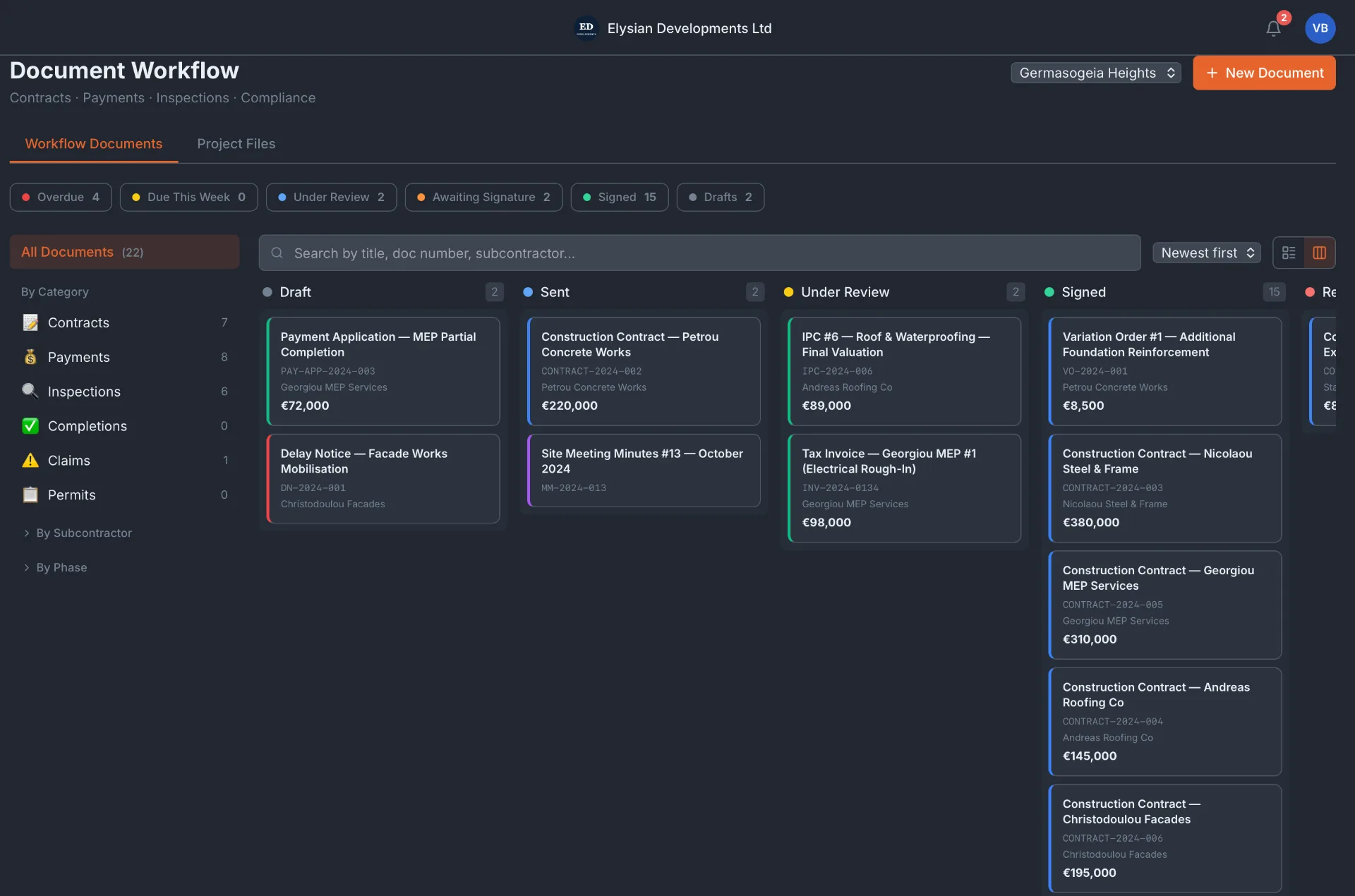
Договоры, заявки на оплату, акты проверок и допсоглашения отслеживаются на Kanban-доске: Черновик, Отправлено, На рассмотрении, Подписано. Просроченные документы помечаются красным. Каждый документ привязан к подрядчику и фазе строительства — больше не нужно рыться в переписке.
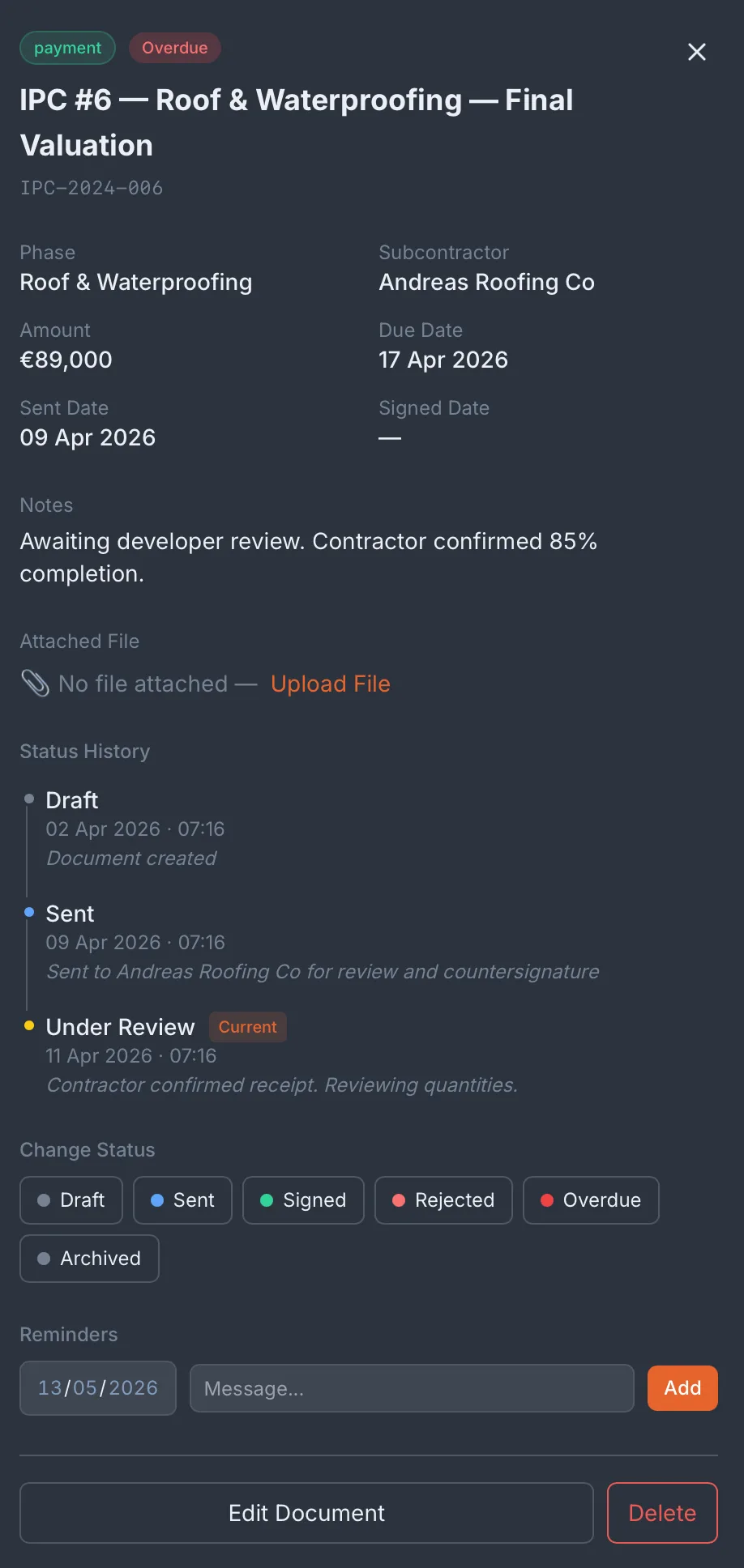
Детали документа с историей статусов и напоминаниями
Откройте любой документ, чтобы увидеть всю ленту статусов — когда он был составлен, отправлен, получен и подписан. Ставьте напоминания об оплате. Прикрепляйте файлы. Оставляйте заметки. Каждое действие фиксируется со временем и автором.
Частые вопросы
Сколько подрядчиков можно добавить на проект?
Без ограничений. Tektor рассчитан на застройки с 10–20 активными подрядчиками одновременно.
Можно ли отслеживать платежи подрядчикам через Tektor?
Да. Заявки на оплату (документы IPC) отслеживаются как документы документооборота — со сроками, суммами, статусом отправки и подписи и пометками о просрочке.
Связан ли документооборот с графиком строительства?
Да. Каждый документ привязан к фазе строительства, так что видно, какие документы подрядчиков не закрыты по каждой фазе Gantt.
Можно ли хранить документы соответствия по зданию — страховки, энергосертификаты?
Да. Документы здания (страховые полисы, сертификаты энергоэффективности, акты пожарной проверки) хранятся отдельно от документов документооборота — в модуле «Документы здания».
Закажите бесплатное 30-минутное демо
Реальные экраны. Ваш тип проекта. Без слайдов и продаж.