Your floor plan. Live. No PDF.
Every Cyprus developer who launches a new project sends a PDF price list to their broker network on day one. By day three, the prices are wrong, three units have been verbally reserved with no system record, and two brokers are arguing over the same apartment. Tektor replaces the PDF with a live floor plan — every unit's status updated in real time, visible to every broker simultaneously.
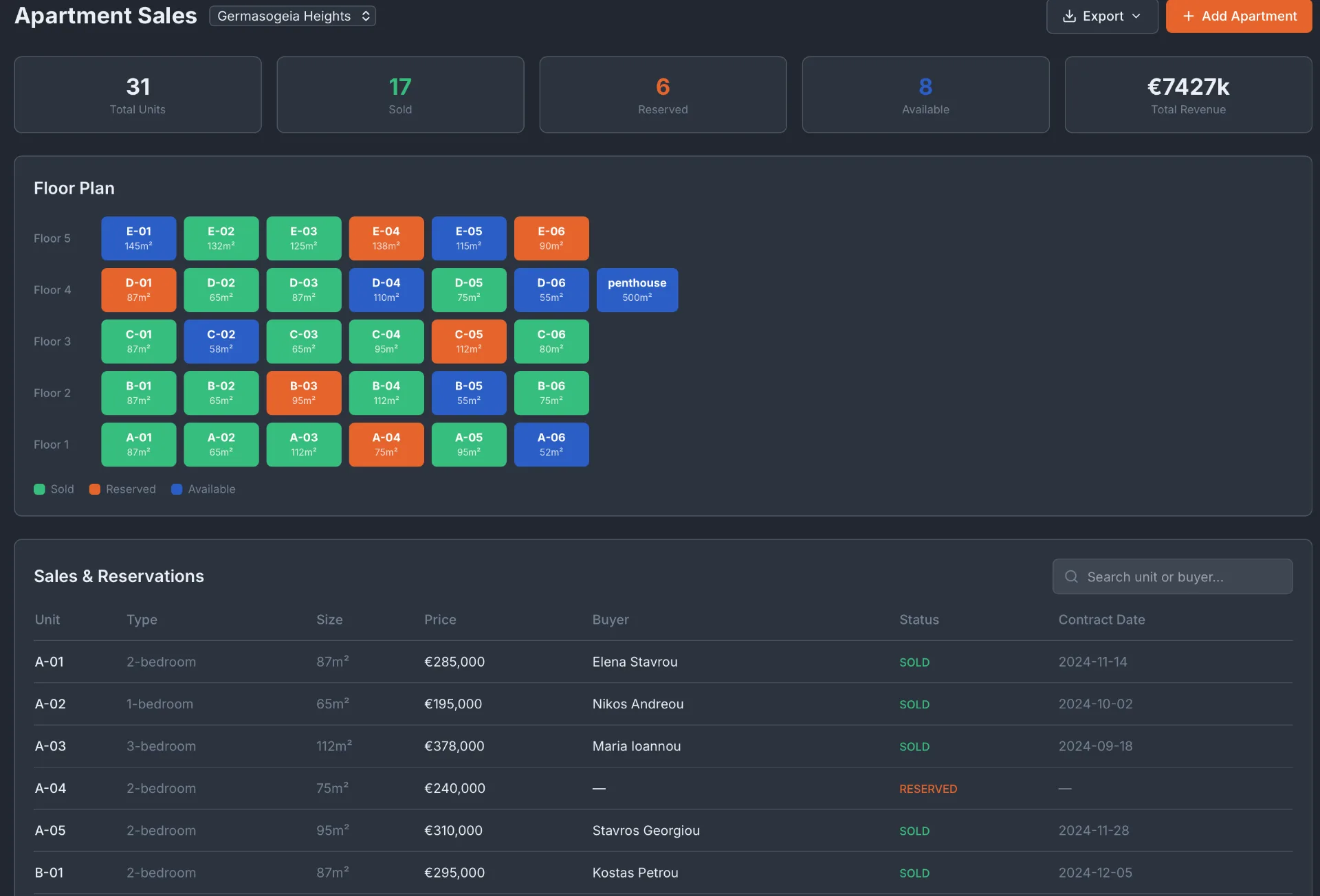
Live chess board — sold, reserved, available
Every unit in your development appears as a colour-coded cell on a floor-plan grid: green for sold, orange for reserved, blue for available. When a broker reserves a unit, it turns orange immediately across every portal and every view. Double bookings become structurally impossible.
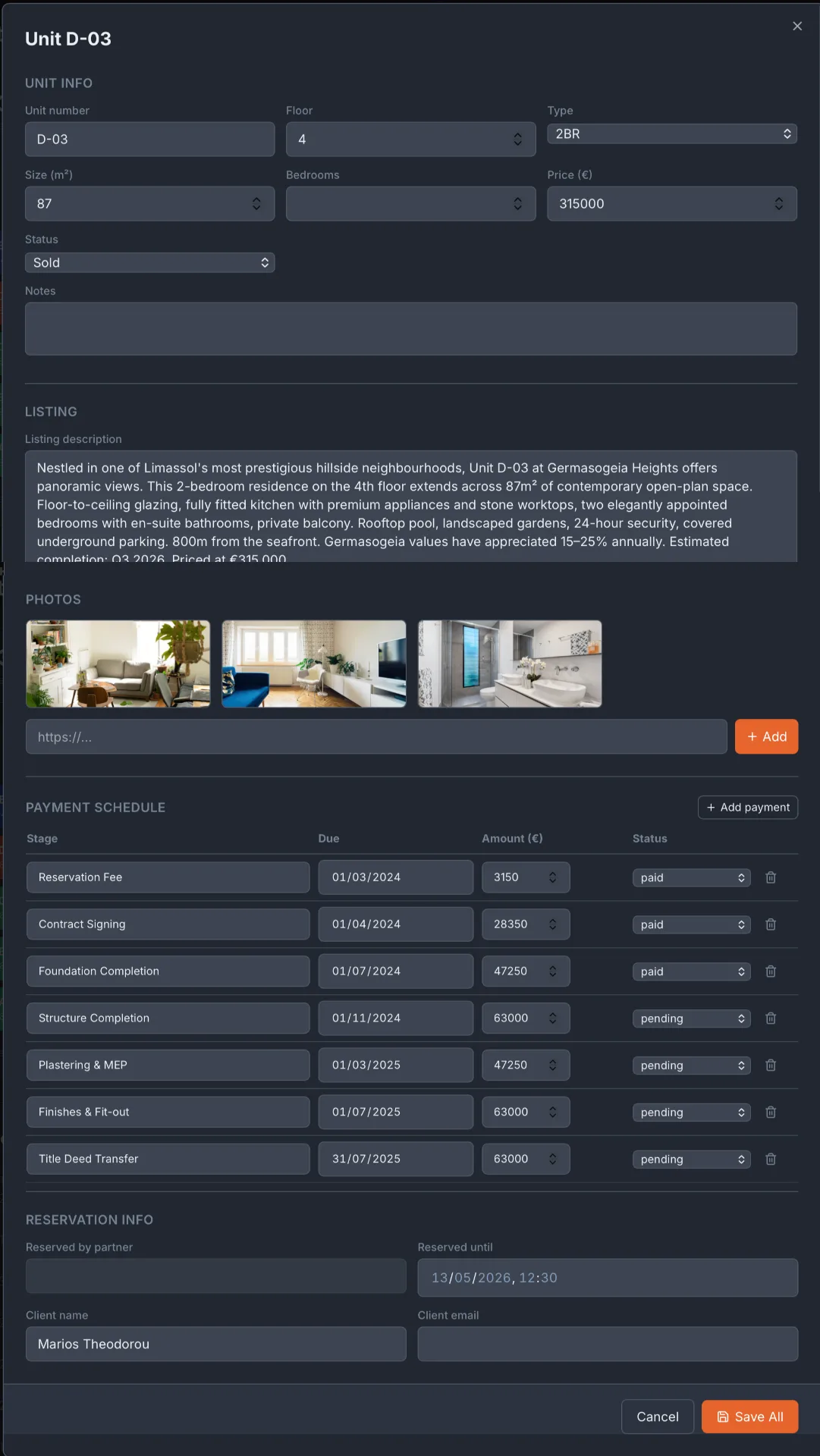
Unit detail — payment schedule, listing, reservation info
Click any unit to see its full profile: size, floor, type, price, status, listing description in English, Greek and Russian, photos, payment schedule with paid and pending stages, and reservation details including the reserved-until timestamp and the broker who made the reservation.
Sales and reservations table
Below the floor plan, a sortable table lists every unit with its buyer name, contract date, price and status. Search by unit number or buyer name. Export to CSV for reporting. Every sale is a permanent record linked to the buyer's profile in the Buyers CRM.
Frequently asked questions
How many units can I track per project?+
There is no limit. Tektor has been tested with projects up to 200 units across multiple blocks and floors.
Can I show the floor plan to buyers and brokers?+
Yes. The Agent Portal shows brokers a live version of the floor plan. The Public Project Website shows buyers an availability view. Both update in real time from the same data source.
What happens when a reservation expires?+
Reservations include a reserved-until timestamp. Expired reservations return the unit to available status automatically.
Can I track units across multiple blocks in one project?+
Yes. Units are organized by floor and can be grouped by block. The floor plan view supports multi-block projects.