
Каждый покупатель получает свой портал.
После подписания договора у покупателя есть один вопрос, повторяющийся каждые несколько недель: как продвигается моя квартира? В типичной кипрской застройке этот вопрос идёт менеджеру по продажам в WhatsApp, тот спрашивает прораба, который отвечает через два дня. Портал покупателя в Tektor даёт каждому покупателю ответы в реальном времени — без участия вашей команды.
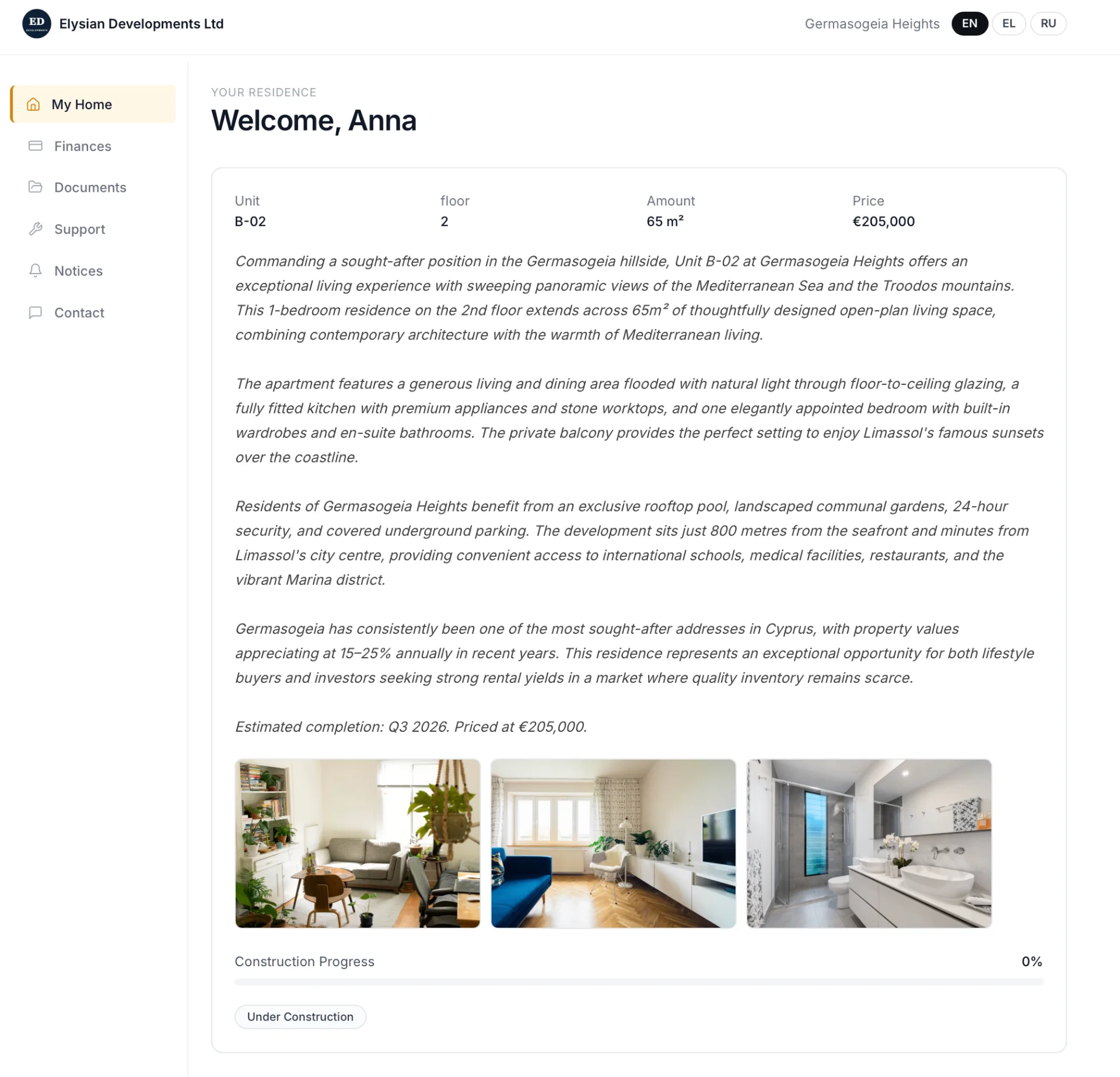
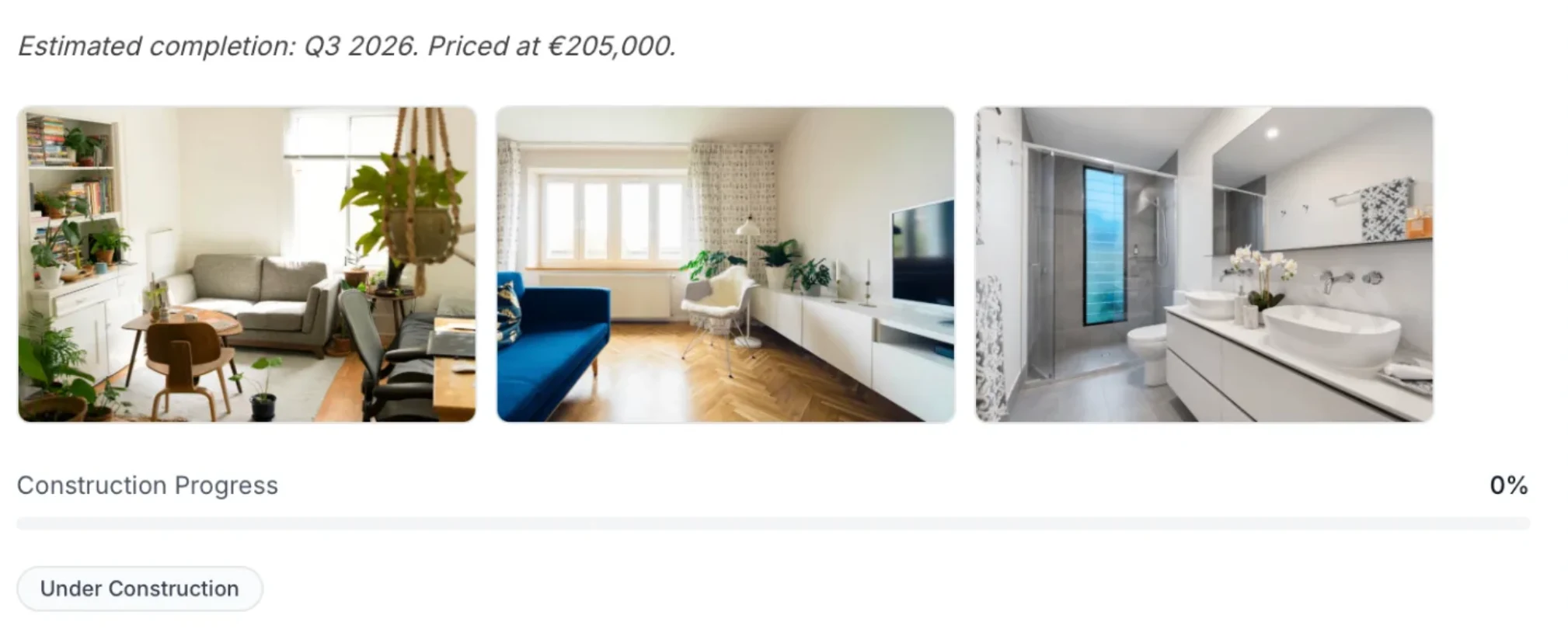
Мой дом — детали квартиры, фото и прогресс строительства
Каждый покупатель входит в брендированный портал, показывающий его квартиру: этаж, площадь, цену, описание объявления и фото интерьера. Под деталями квартиры полоса прогресса строительства показывает текущую фазу и процент готовности. Покупатели видят ровно, где их квартира в цикле стройки — не звоня в ваш офис.
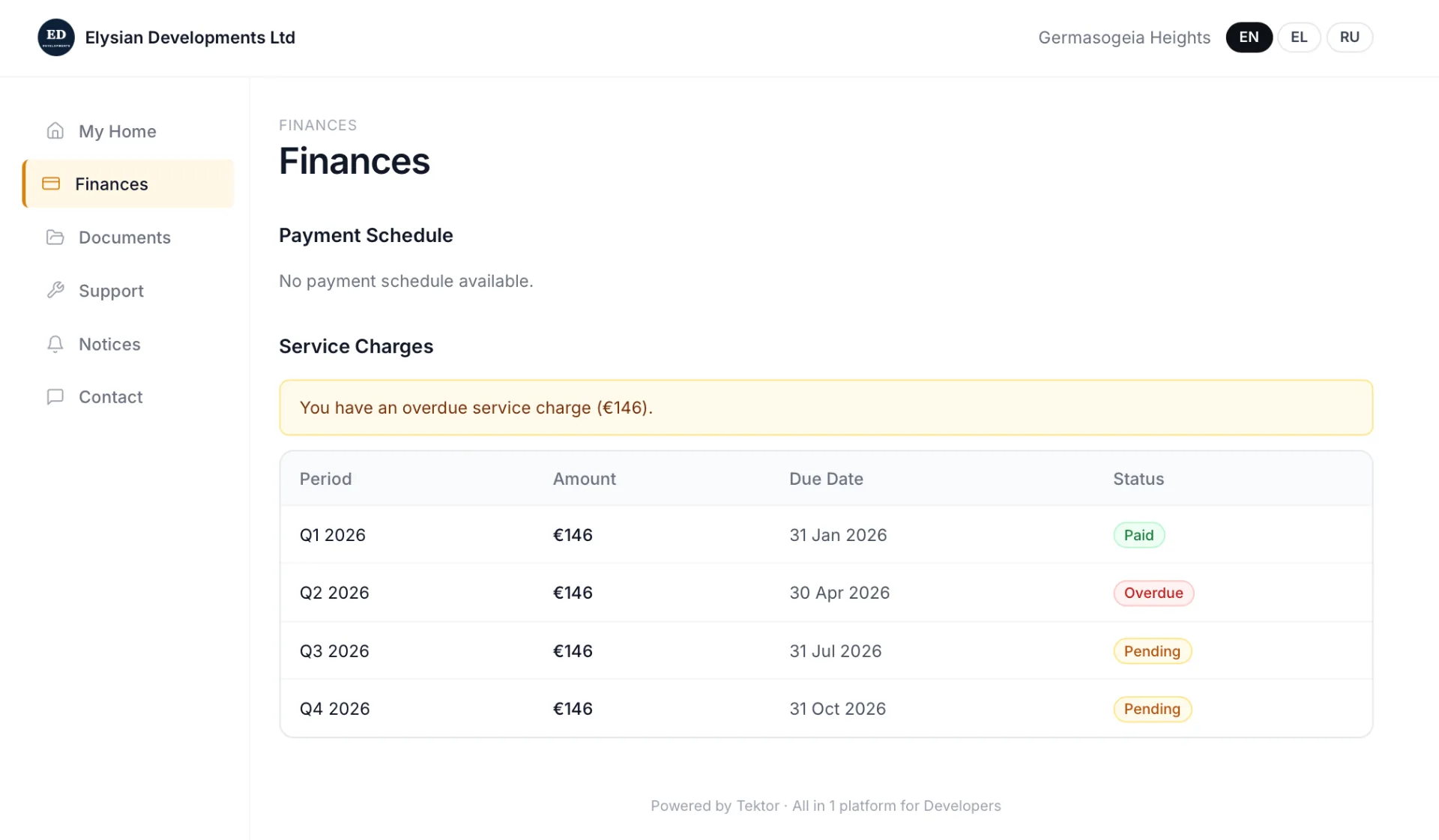
Финансы — график платежей и коммунальные
Вкладка «Финансы» показывает полный график платежей покупателя: каждую веху, сумму, срок и текущий статус — оплачено, ожидается или просрочено. Коммунальные по завершённым квартирам отображаются ниже, с квартальными датами выставления и статусом оплаты. Просроченные помечаются оранжевым.
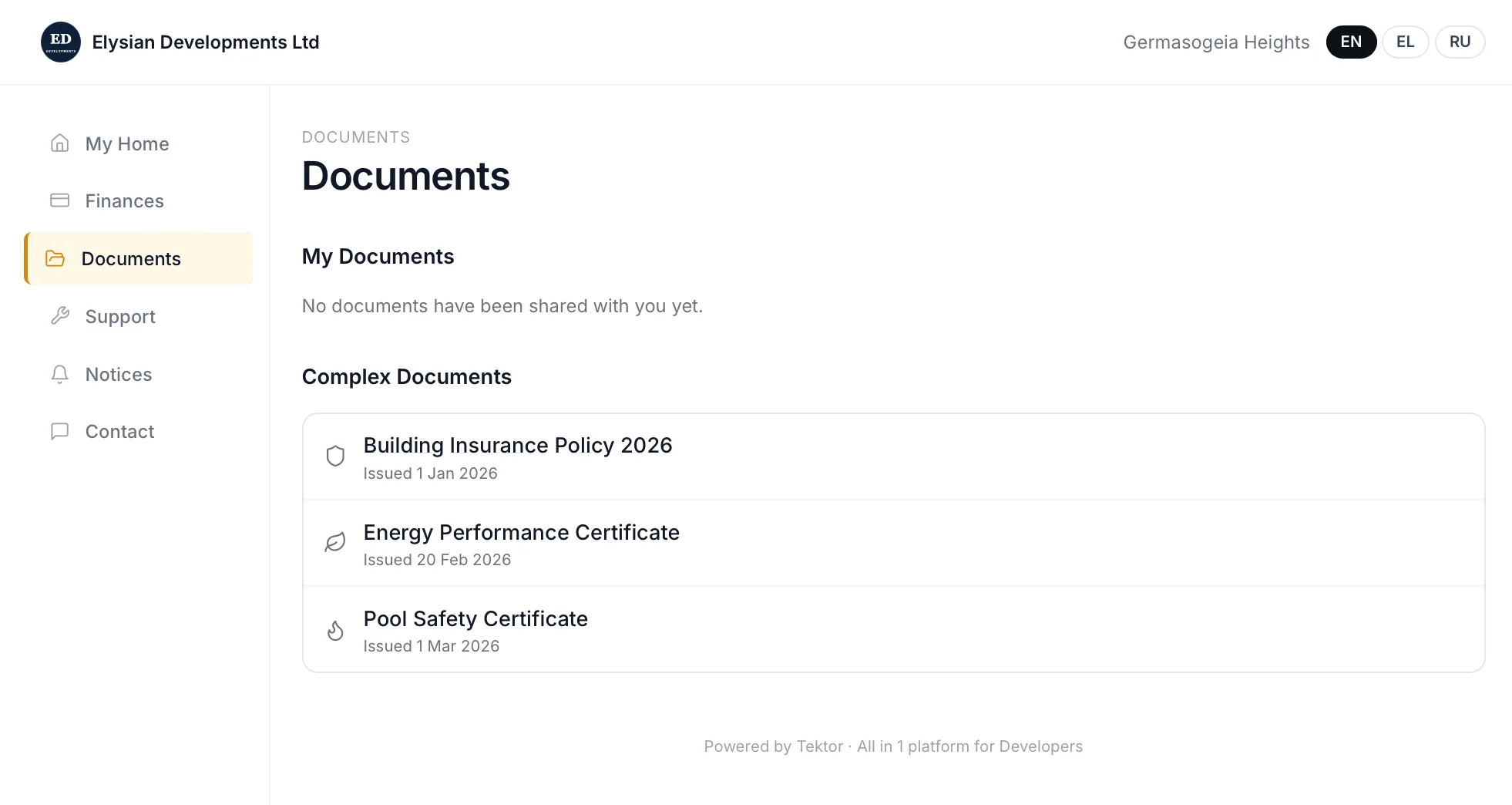
Документы, уведомления и поддержка — всё в одном месте
Покупатели получают доступ к личным документам и документам уровня здания (страховки, энергосертификаты, сертификаты безопасности бассейна) в одной вкладке. Объявления застройщика появляются в «Уведомлениях». Вкладка «Поддержка» позволяет покупателям сообщать о проблемах обслуживания с фото напрямую. Вкладка «Контакт» связывает их с проектным менеджером по email, телефону или WhatsApp.
Доступен на английском, греческом и русском
Портал покупателя полностью многоязычный. Покупатели переключаются между английским, греческим и русским переключателем языка в правом верхнем углу. Для русскоязычных покупателей из Украины, России и других стран СНГ, покупающих на Кипре, — это разница между запутанным и профессиональным опытом.
Частые вопросы
Нужно ли покупателям скачивать приложение?
Нет. Портал покупателя — это веб-приложение, доступное из любого браузера на телефоне или компьютере. Скачивание не требуется.
Кто управляет тем, что покупатели видят в своём портале?
Всем содержимым управляет застройщик. Документы предоставляются явно. Прогресс строительства обновляется, когда его вносит ваша команда. Уведомления публикует застройщик.
Могут ли покупатели подавать заявки на обслуживание через портал?
Да. Вкладка «Поддержка» в Портале покупателя позволяет покупателям сообщать о проблемах по категории, описанию и фото. Обращения попадают в модуль «Заявки на обслуживание» застройщика.
Брендирован ли портал под застройщика?
Да. Портал показывает название и логотип компании застройщика, с названием проекта в шапке. В подвале отображается «Powered by Tektor».
Работает ли Портал покупателя до сдачи?
Да. Портал активен с момента привязки покупателя к квартире в Tektor — обычно при подписании договора. Прогресс строительства, графики платежей и документы актуальны ещё до сдачи.
Закажите бесплатное 30-минутное демо
Реальные экраны. Ваш тип проекта. Без слайдов и продаж.