
Every contract, from draft to signed. One board.
Property developers in Cyprus and Greece juggle contracts across email threads, shared drives and a lawyer's inbox — reservation forms in one place, purchase orders in another, service agreements lost in a folder nobody opens. Tektor puts every contract on a single board, so you always know what's drafted, what's out for signature, and what's signed.
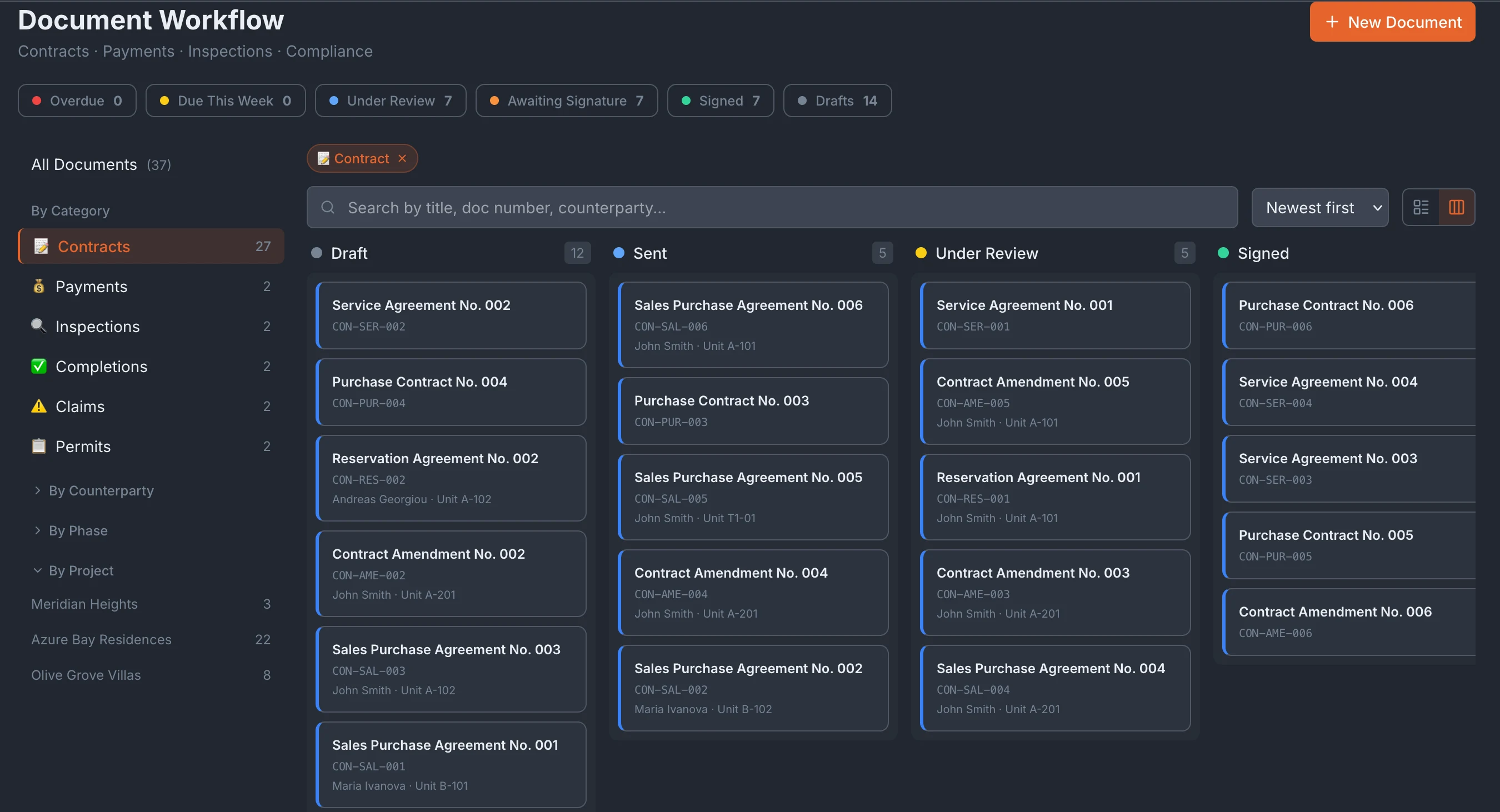
A kanban board that tracks every contract's status
Every document lives as a card on a status board, so you see your whole contract pipeline at a glance instead of chasing files across folders. Move a contract forward as it progresses — from draft, through review and signature, to fully executed — and the board reflects the real state of every agreement in the project.
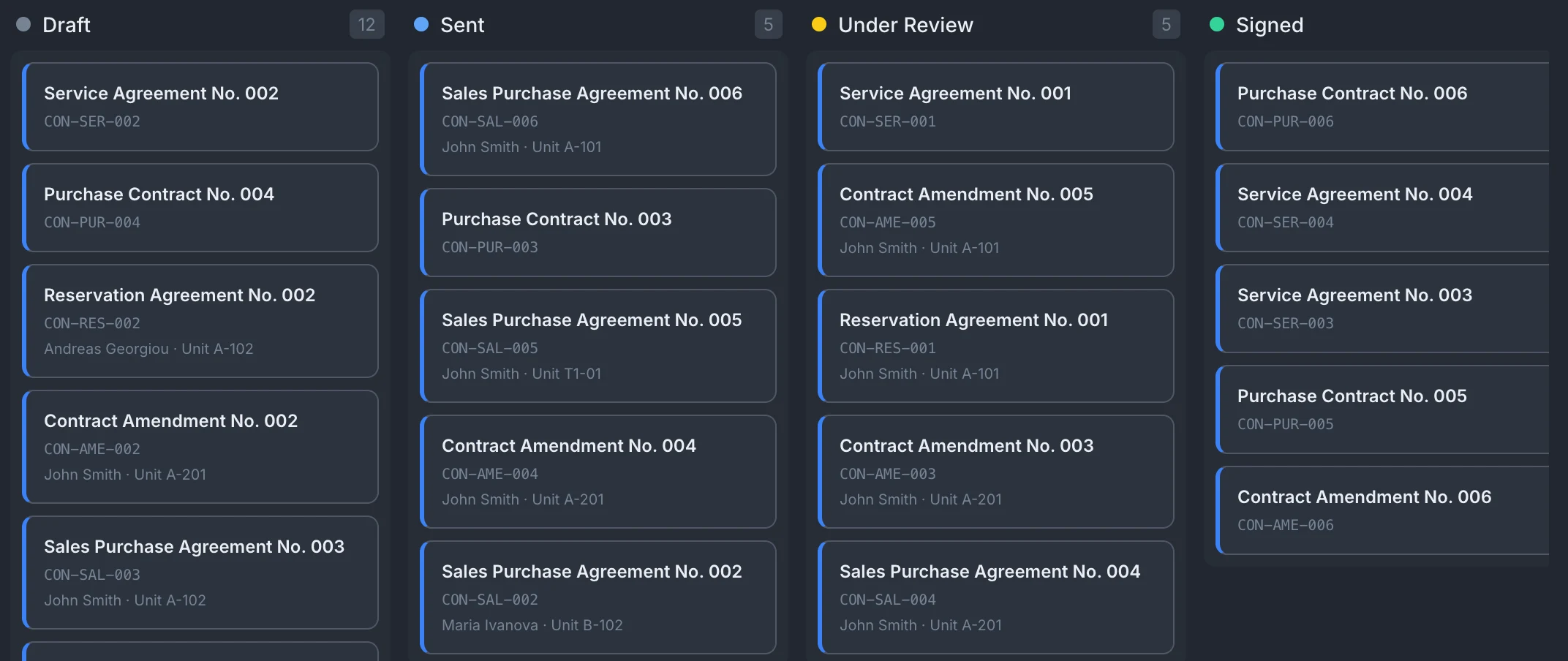
Everything about a contract on one card
Open a contract card and its full picture is in one place: the parties, the contract value, VAT, linked project and unit, attached files, and the current status. No opening three tabs to reconcile who signed what for how much — the card is the single source of truth for that agreement.
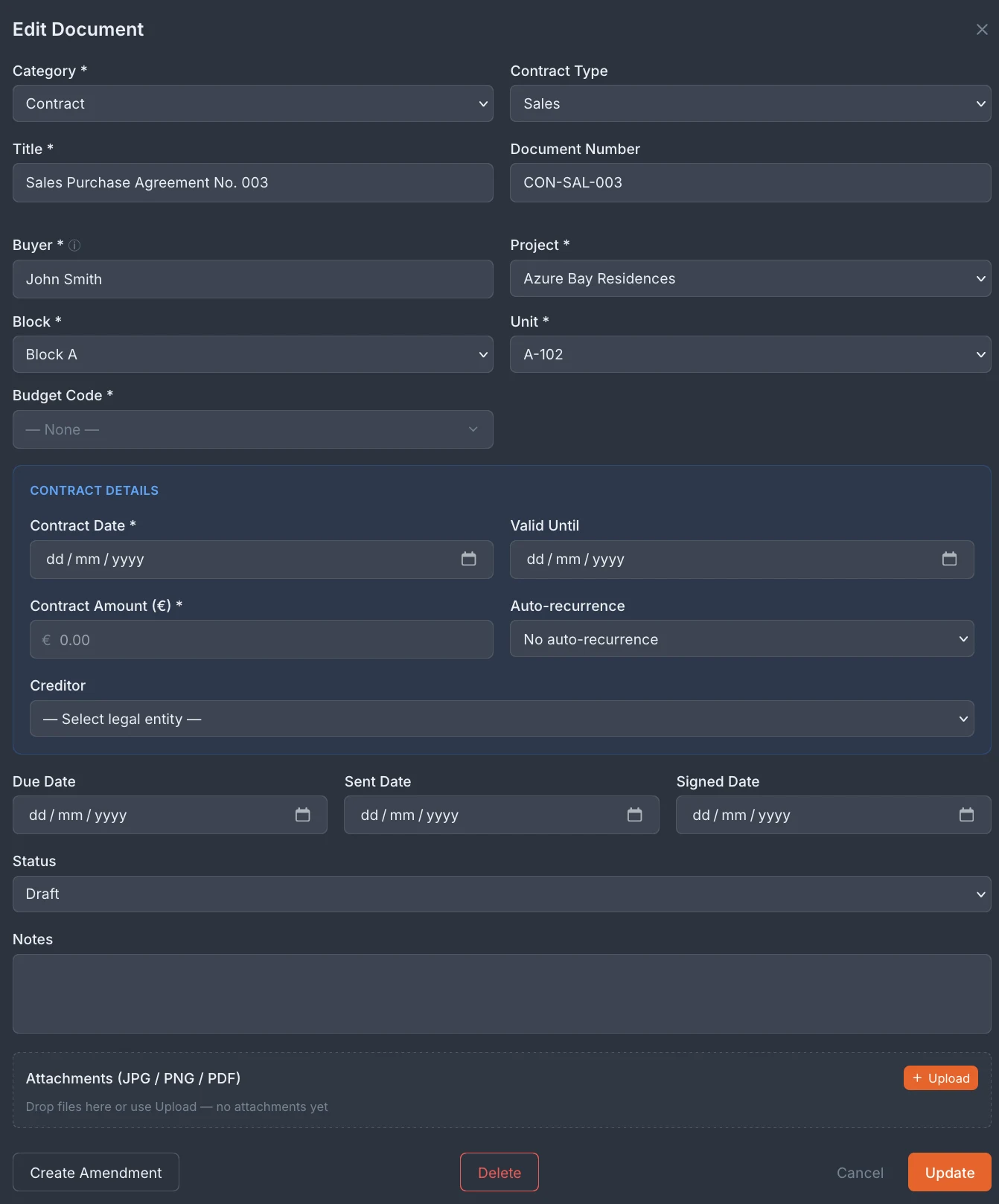
Four contract types, built around how developers actually work
Tektor supports the contract types a developer touches across the full lifecycle of a project — from the first reservation to the final supplier invoice. Reservation is the initial agreement that takes a unit off the market for a buyer. Sales is the purchase contract for a unit, tied to the apartment and the buyer. Service covers agreements with providers working on the development. Purchase covers contracts and orders for materials and subcontracted work.

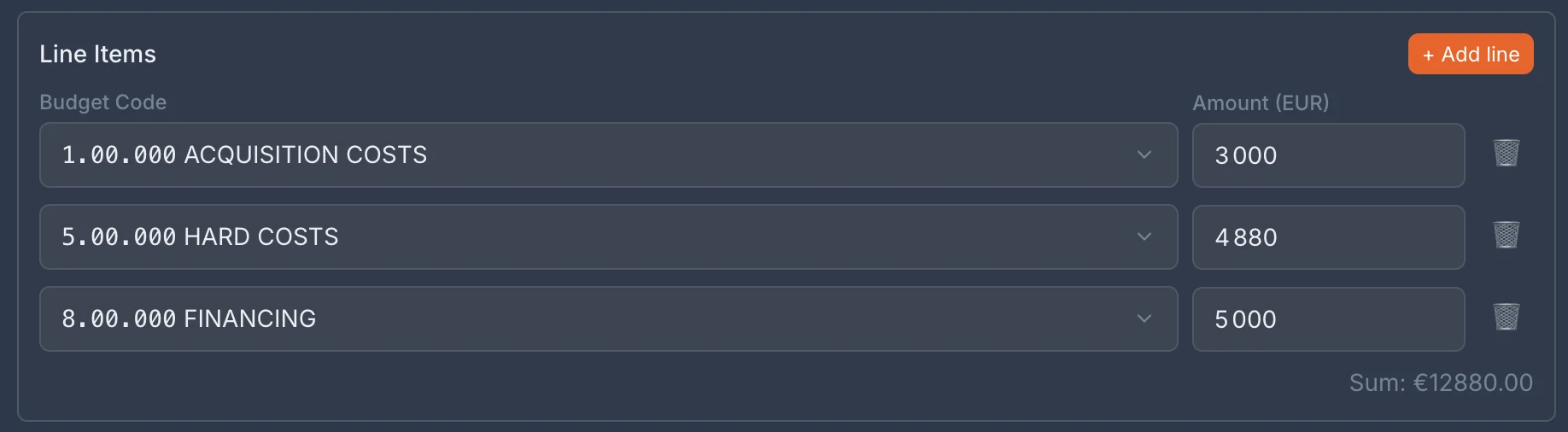
Line items that feed straight into budget control
Sales, service and purchase contracts carry line items, so you build the contract line by line and tag each line with a budget code. That means every contract line feeds straight into your budget control — the amount you commit on a purchase contract is the amount tracked against that budget code, with no re-keying into a separate spreadsheet.
Frequently asked questions
What types of contracts can I manage in Tektor?
Reservation, sales, service and purchase contracts — covering the full lifecycle from taking a unit off the market to paying suppliers and subcontractors.
Can I link a contract to a specific unit or project?
Yes. Contracts are tied to the project and, where relevant, the specific apartment — so the paperwork always sits next to the sale or the work it covers.
How do budget codes on contract line items work?
Each line on a contract can be tagged with a budget code, so the committed amount flows into Budget Control automatically without duplicate entry.
Who can see and edit contracts?
Access is role-based — the team members who work with contracts can see and edit them, based on their role in the project.
Book a free 30-minute demo
Real screens. Your project type. No slides, no sales pitch.