
Site photos. Organized by phase. Always current.
Construction site photos are taken daily, shared on WhatsApp, and lost within a week. Tektor's Photo Reports module organizes every site photo by project and construction phase — with timestamps, captions and completion status — so your team, investors and buyers always see the same up-to-date picture.

Photos organized by project and construction phase
Navigate your photo library by project (Agios Tychonas Villas, Germasogeia Heights, Neapolis Seafront) and then by phase (Site Preparation, Foundation, Structural Frame and so on). Each phase shows its completion percentage alongside the photos logged for that phase. No more searching through WhatsApp history to find the photo from two months ago.
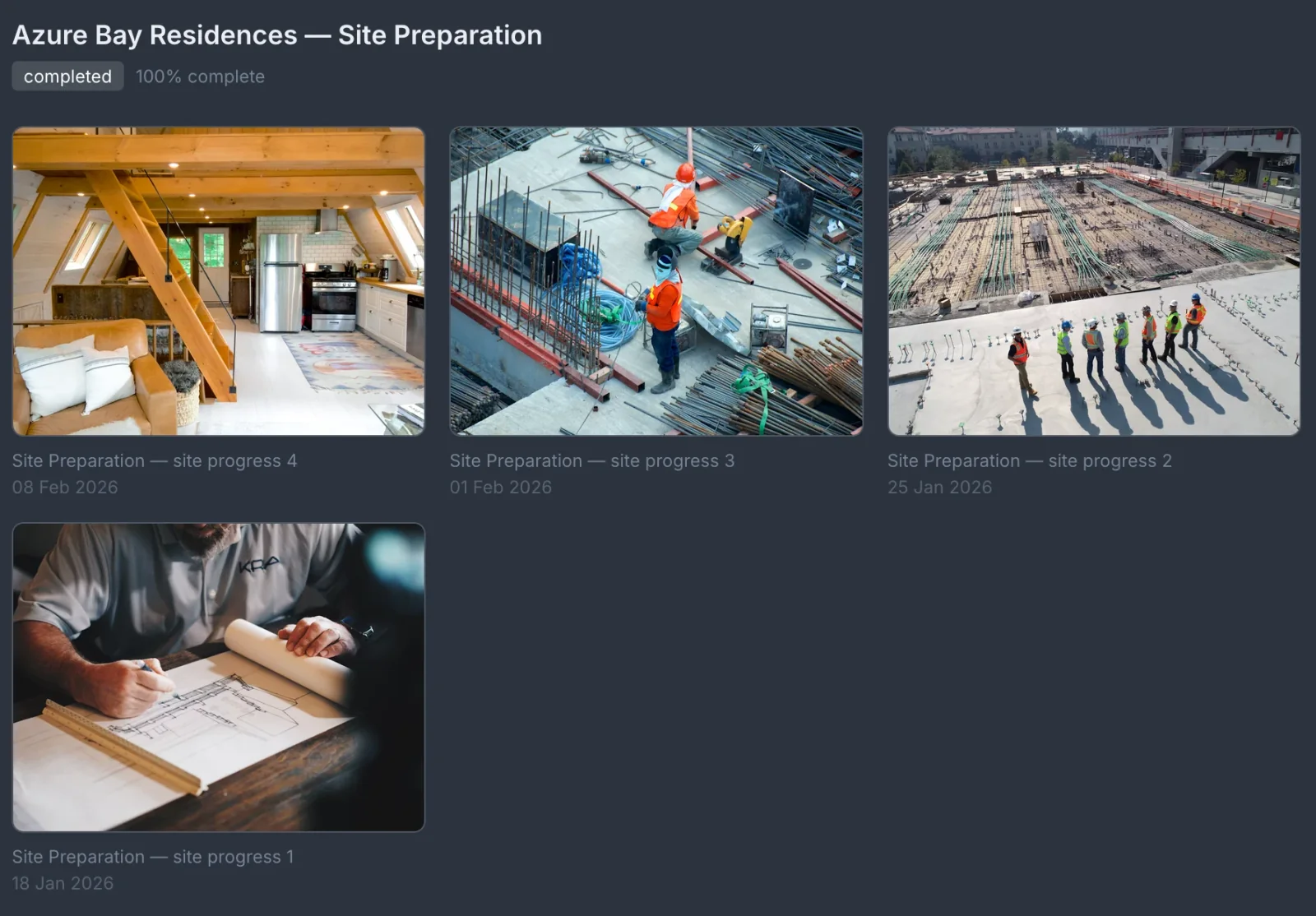
Timestamped entries with captions
Every photo upload includes a timestamp and a caption field. Your site manager logs 'Land clearing — day 1. Excavator removing topsoil layer' and the record is permanent. Investors and buyers who ask about construction progress get a factual, timestamped answer — not a verbal assurance.
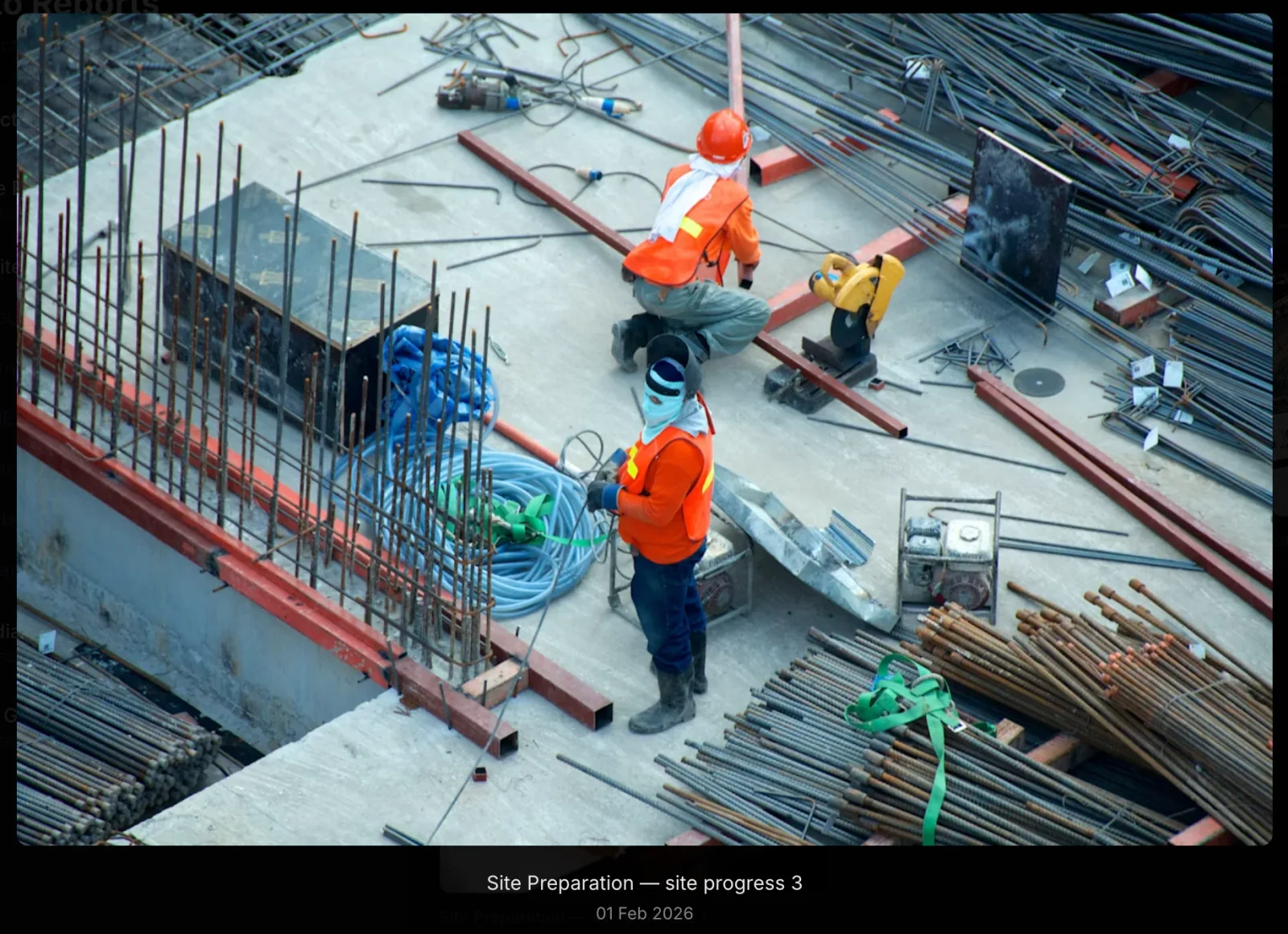
Site photos stay with your team
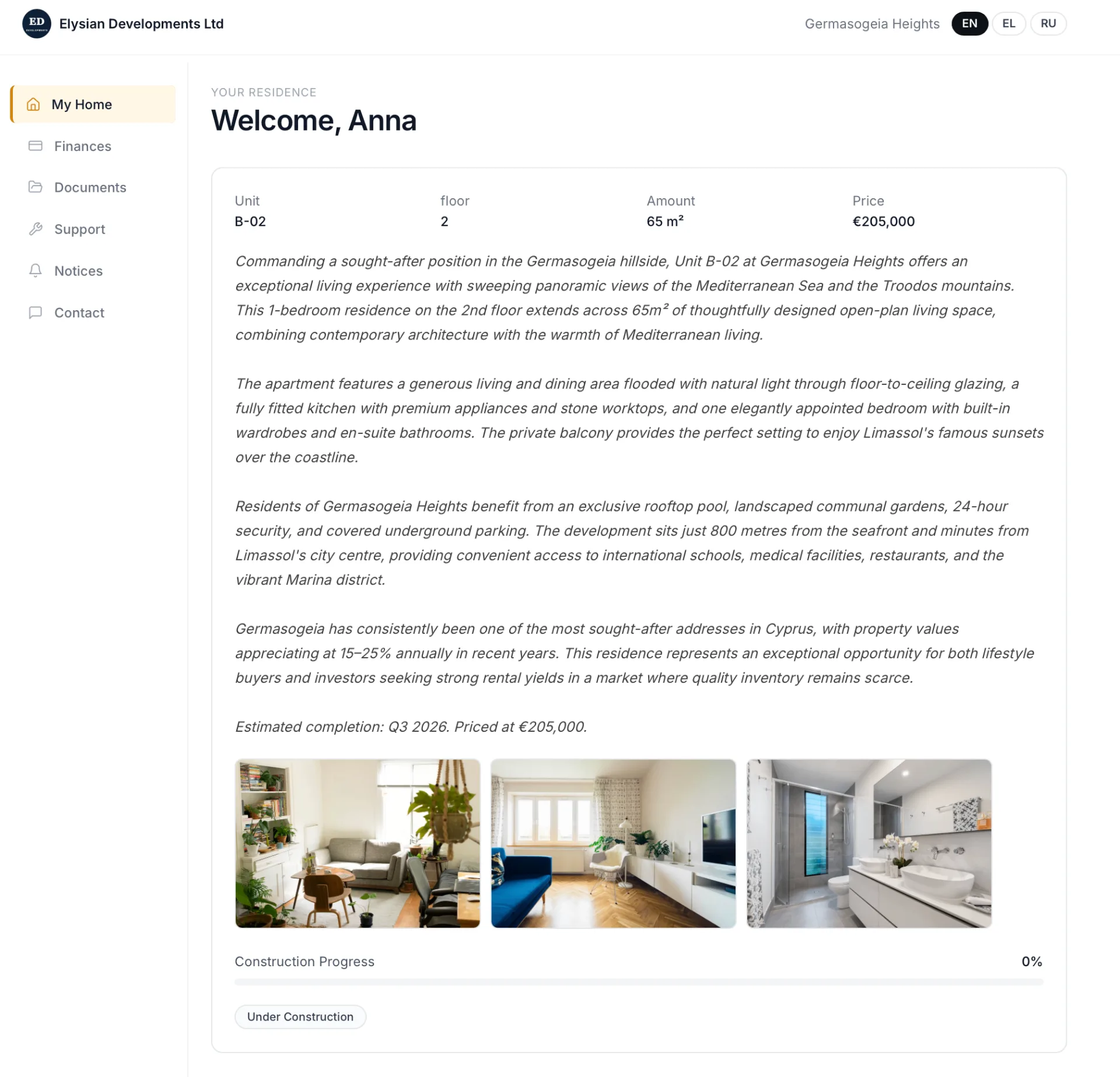
Photo reports are an internal record for your team, investors and lenders — they are not pushed to buyers. Buyers follow progress in the Buyer Portal instead, through the construction percentage and the current phase, in English, Greek or Russian; the photos they see there are the ones you add to their unit.
Frequently asked questions
Who can upload construction photos?
Any team member with project manager access can upload photos. There is no limit on the number of photos per phase.
What file formats are supported?
JPG, PNG and WebP, up to 10MB per file.
Can buyers see the construction photos?
Not from Photo Reports — site photos stay internal. The Buyer Portal shows buyers the construction percentage, the current phase and their unit's own photos; the public project page can show selected phase photos.
Can I add photos from previous phases retroactively?
Yes. You can upload photos to any phase regardless of its current status — including completed phases.
Related features
Book a free 30-minute demo
Real screens. Your project type. No slides, no sales pitch.