
Your floor plan. Live. No PDF.
Every Cyprus developer who launches a new project sends a PDF price list to their broker network on day one. Within days the prices are out of date, units have been promised verbally with no record anywhere, and two brokers are asking about the same apartment. Tektor replaces the PDF with a live floor plan: when your team changes a unit's status, everyone in the office and every partner in the broker portal sees the change.
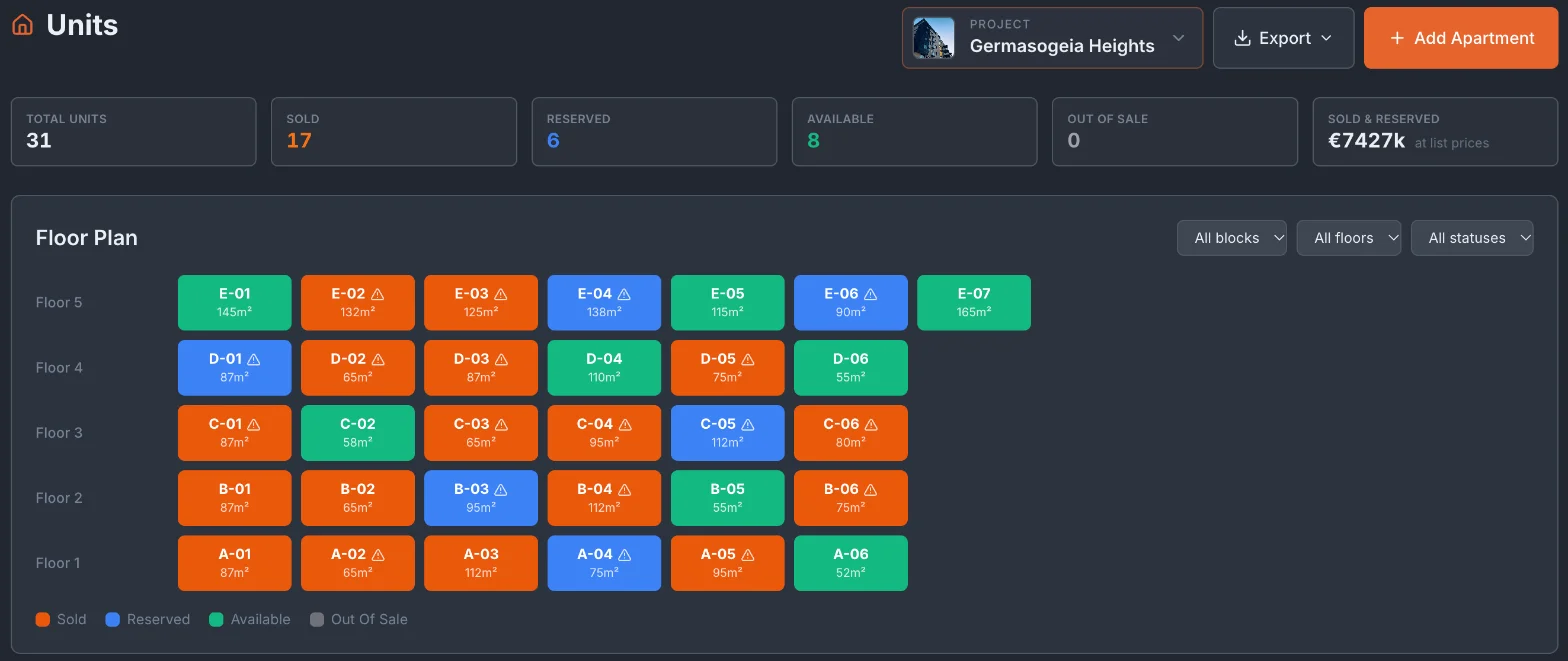
Floor plan — sold, reserved, available, out of sale
Every unit appears as a cell on a floor-plan grid, grouped by block and floor, with its size: orange for sold, blue for reserved, green for available and grey for out of sale. Filter by block, floor or status. A warning mark flags a unit whose status was set by hand without a registered sale, or whose sale is still a draft — so the map doesn't quietly drift away from your sales records.
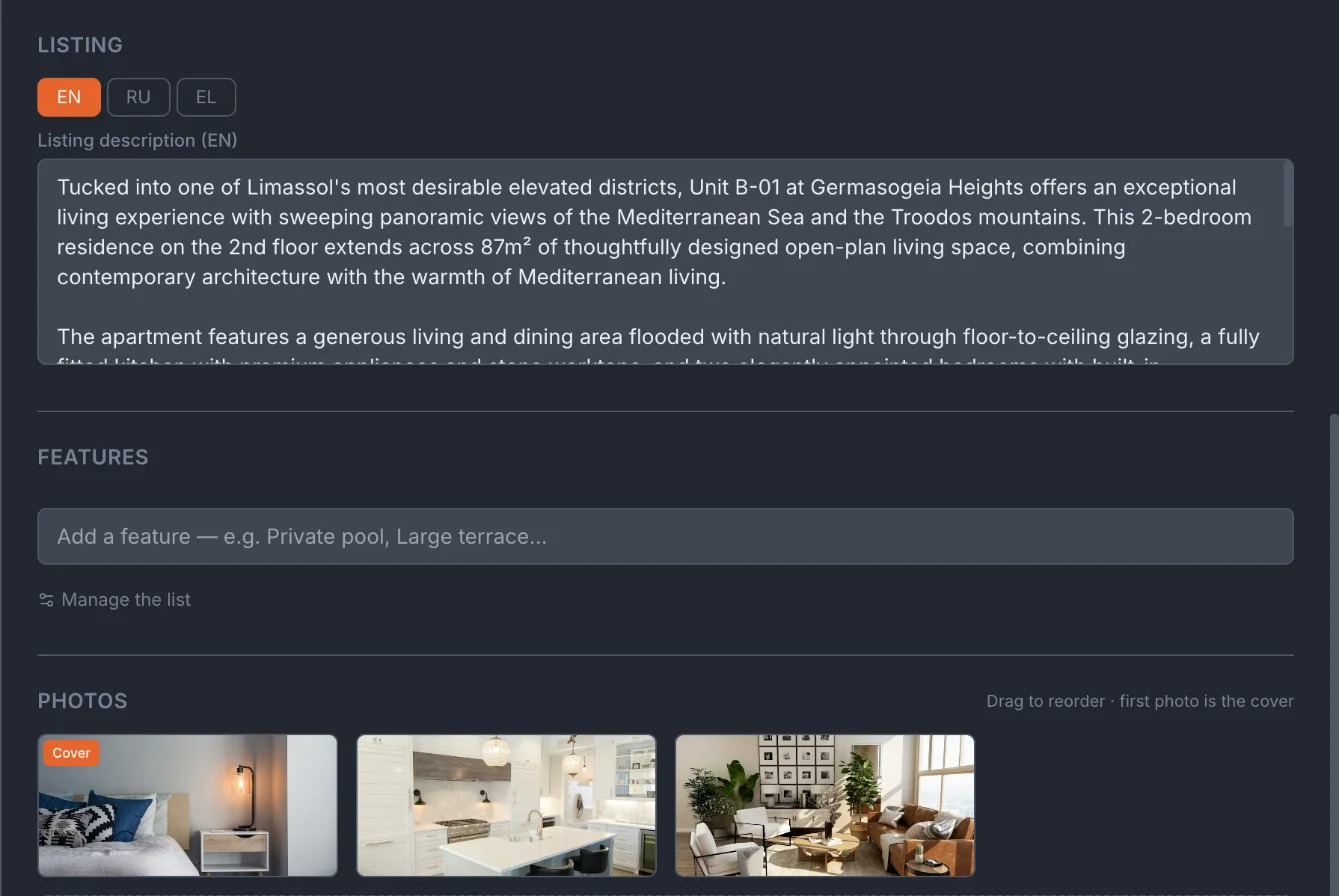
Unit card — areas, price, listing, photos, plans
Click a unit to open its card: floor, type, bedrooms and bathrooms, internal, veranda, roof-garden and common areas, list price and sold price, status, notes and the agent the deal came through. The same card holds the listing description in English, Greek and Russian, photos, the unit plan, a specifications PDF and a virtual-tour link. Once a sale is registered for the unit, the status follows that sale instead of being set by hand, and the payment stages live on the sale.
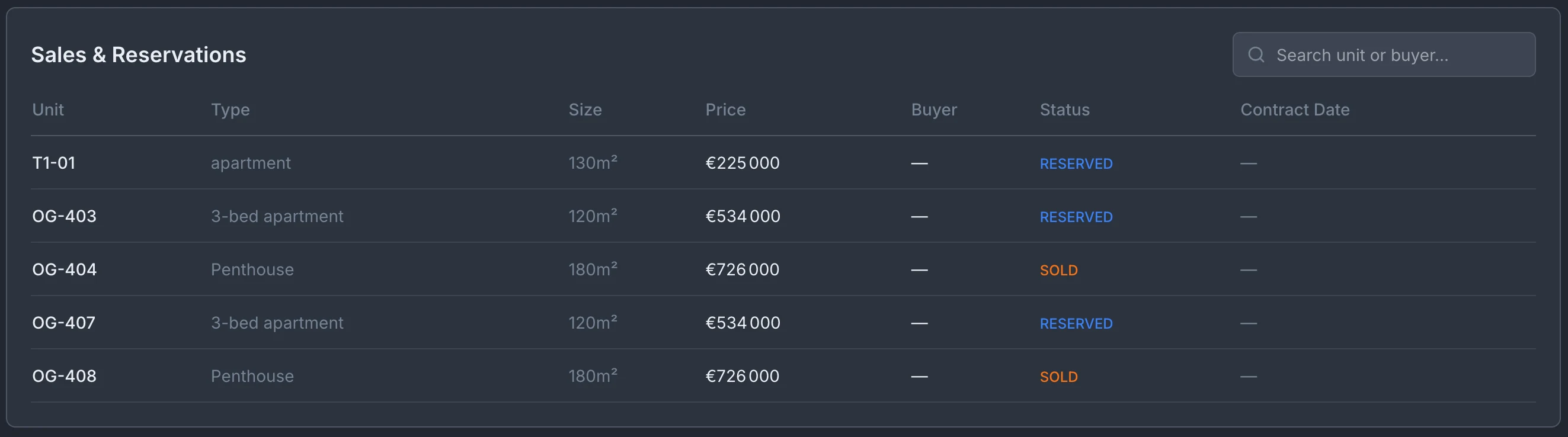
Sales and reservations table
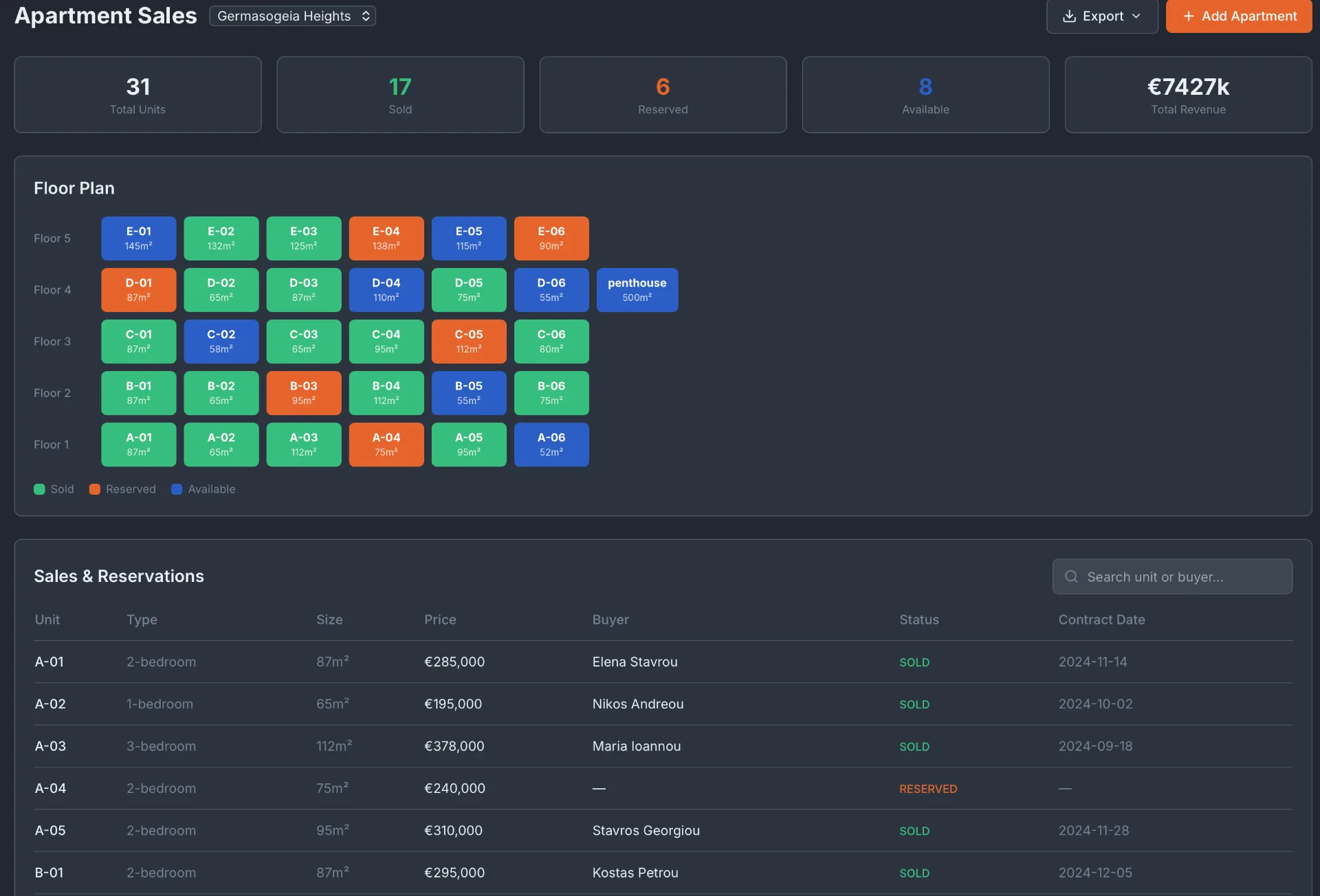
Below the floor plan, a table lists every reserved and sold unit with its type, size, price, buyer, status and contract date. Search by unit number or buyer name. Download CSV exports every unit of the project — status, price, block, floor, areas and listing text — for your own reporting or a price list.
Frequently asked questions
How many units can I track per project?
There is no fixed limit on units per project. Units are grouped by block and floor, and the floor plan can be filtered by block, floor and status.
Can brokers see the floor plan?
Yes. Partners you give access to a project see its floor plan in the broker portal, with current availability and their estimated commission per unit. They don't reserve units themselves: a partner's enquiry for a client arrives in your Leads, and your team decides.
What happens when a reservation runs out?
You can note a reserved-until date on the unit card, but Tektor does not release units on its own — a reservation stays until your team changes the unit's status.
Can I track units across multiple blocks in one project?
Yes. Units are organised by block and floor; the floor plan groups them by block and can be filtered to a single block or floor.
Book a free 30-minute demo
Real screens. Your project type. No slides, no sales pitch.