
Your whole development budget. Every code. Every revision.
A property development lives or dies on its budget — land, fees, hard costs, soft costs, sales, financing — and for most developers that budget sits in a fragile spreadsheet that one wrong formula can break, with no record of how the numbers got where they are. Tektor gives you a structured CAPEX and revenue budget for every project, built on a proper code tree, so you plan land acquisition, construction, marketing and financing in one place — and see exactly what your project is expected to cost and earn.
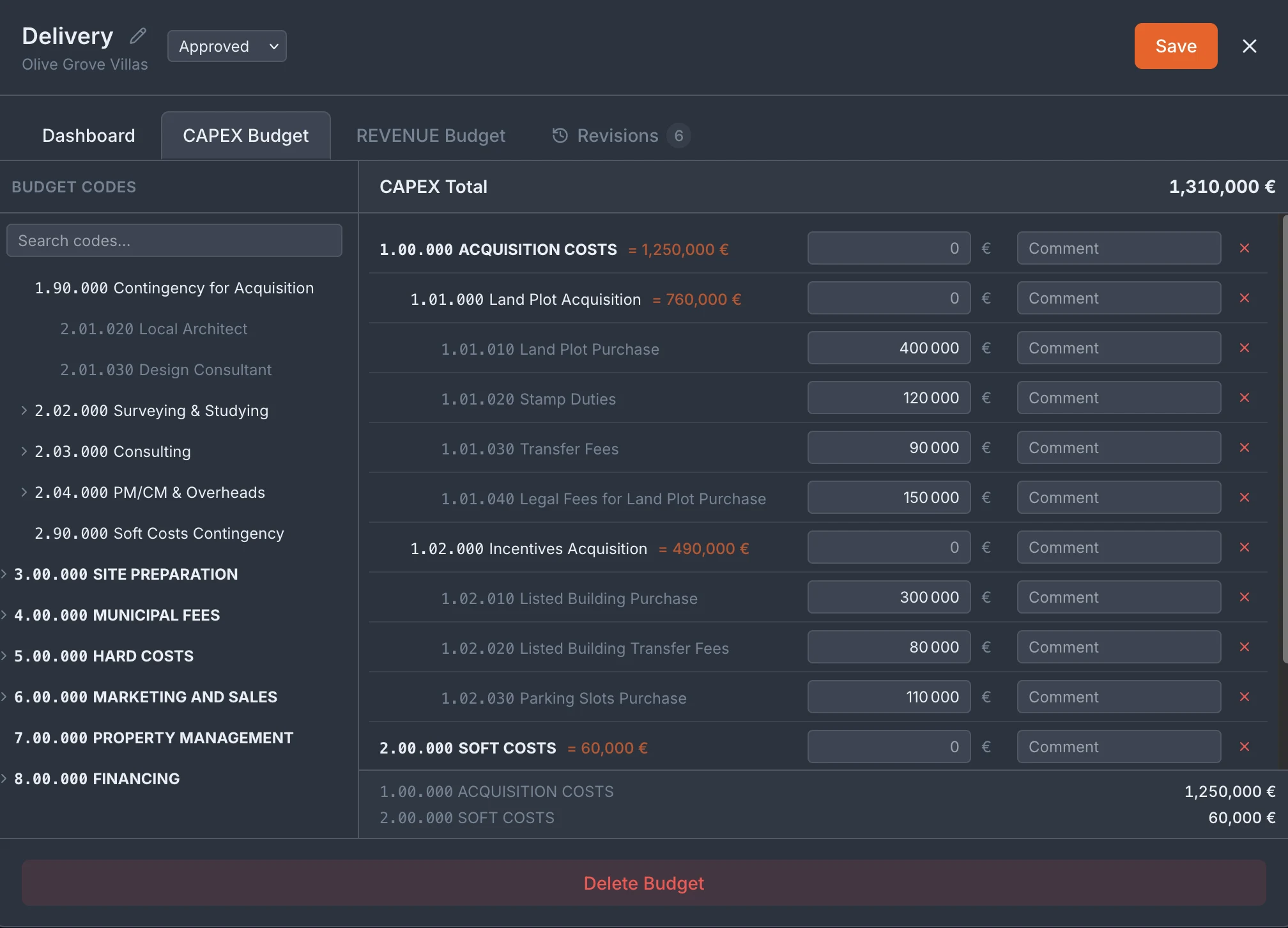
CAPEX and revenue, on a budget code tree
Your budget is organised as a hierarchy of budget codes — top-level groups like Acquisition Costs, Site Preparation, Hard Costs and Financing, each breaking down into the specific line items beneath them (1.01.010 Land Plot Purchase, 1.01.020 Stamp Duties, and so on). You enter the amount for each line, add a comment where it needs explaining, and Tektor rolls the numbers up the tree — line into group, group into the CAPEX total — so every figure ties back to a line you can point to. Plan your cost side (CAPEX) and your revenue side in the same structured way, and the whole budget stays legible instead of buried in a spreadsheet only one person understands. Because it's the same code tree your contracts and invoices tag against, the budget isn't a document that goes stale the moment work starts — the codes you plan against are the codes you track actuals against later.
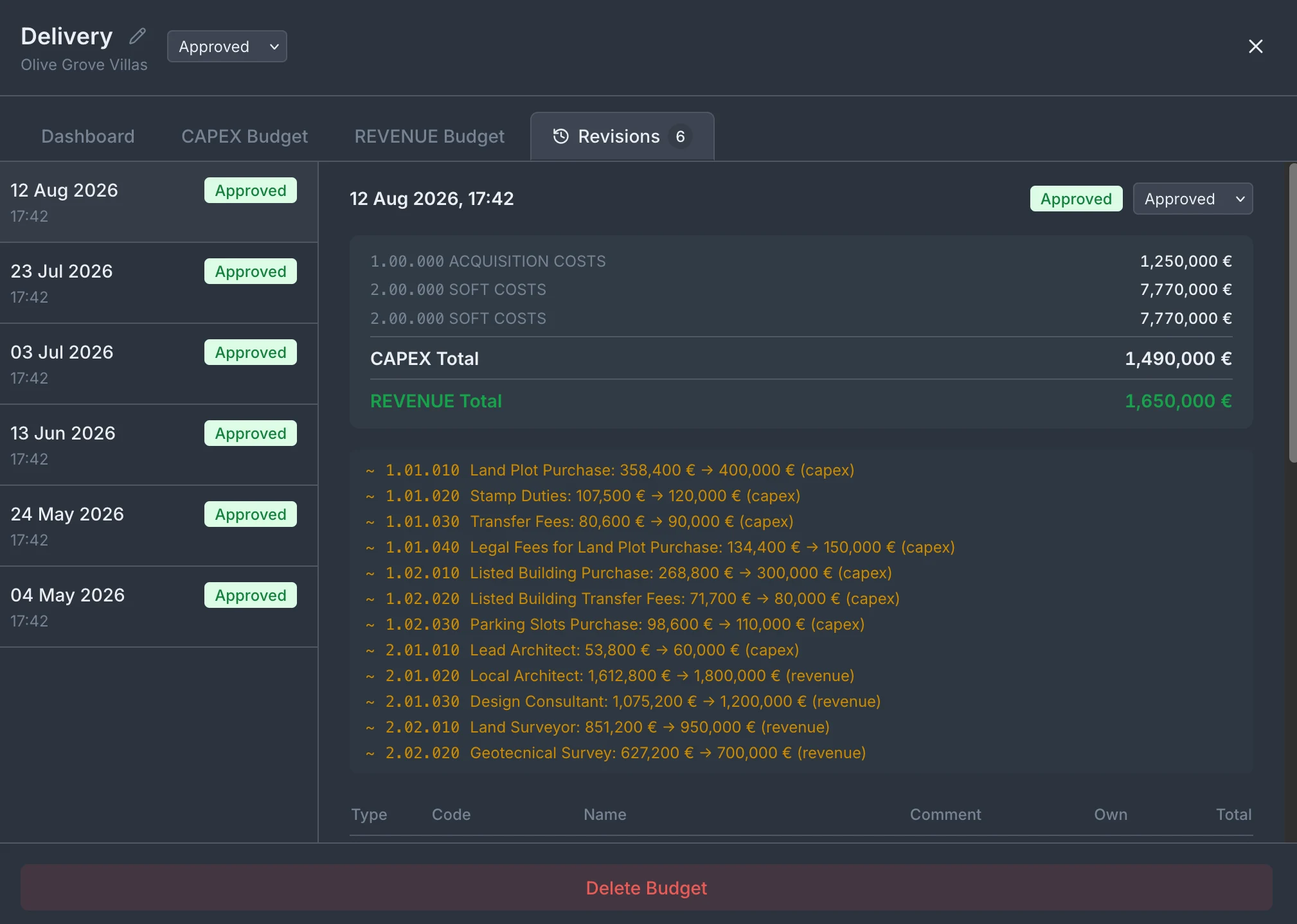
A full revision history — nothing changes without a record
Budgets change. Land comes in over estimate, a revenue line gets revised up, a contingency gets spent. Tektor keeps every version of the budget as a dated, approved revision, so you always know what the budget was on any given date and exactly what changed since. Open a revision and you see the line-by-line difference from the one before it — Land Plot Purchase 358,400 € → 400,000 €, Stamp Duties 107,500 € → 120,000 €, each change flagged as CAPEX or revenue — alongside the totals as they stood at that point. That history matters when a bank, a partner or a board asks how a project's numbers moved. Instead of "I think it went up in July", you have the exact revision, the exact date, and the exact lines that changed — an audit trail your budget builds for you as you work.
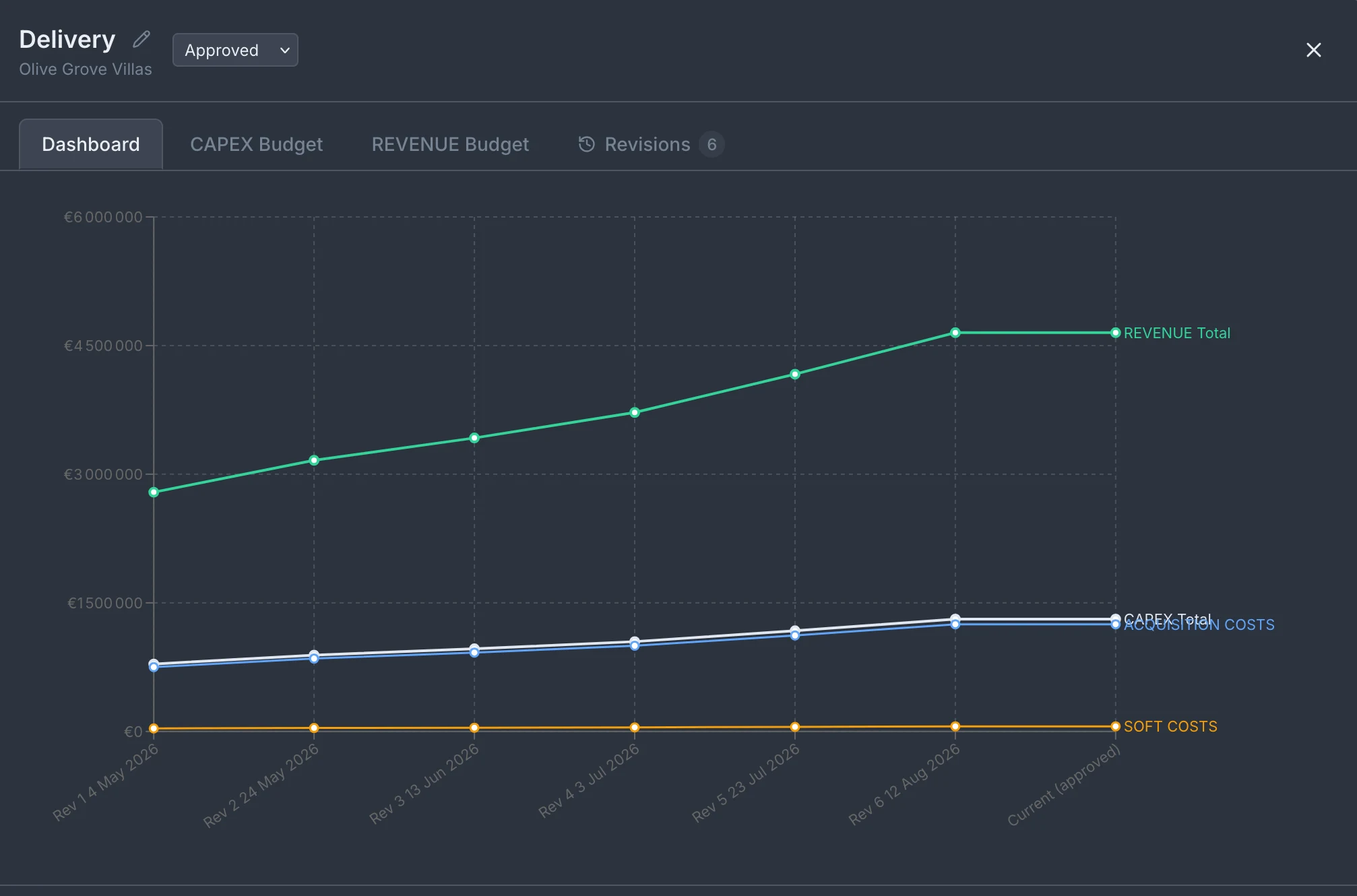
See how your budget has moved, at a glance
The budget dashboard plots your project's key totals across every revision — REVENUE Total, CAPEX Total, Acquisition Costs and Soft Costs — as a single chart over time. In one look you see the shape of the project: how revenue has climbed revision to revision, how costs have tracked against it, and whether the gap between what the project earns and what it costs is widening or closing. It turns six spreadsheet versions no one wants to open into one line you can read in a second — and a clear picture to put in front of anyone who needs to understand where the project stands.
Frequently asked questions
What's the difference between the CAPEX and revenue budgets?
CAPEX covers what the project costs to deliver — land, fees, construction, soft costs — and the revenue budget covers what it's expected to earn. Both are planned on the same budget code tree, and both are tracked over time.
Can I see what changed between two budget versions?
Yes. Every approved revision keeps a line-by-line diff from the previous one, so you can see exactly which codes changed, by how much, and on what date.
Do the budget codes connect to the rest of Tektor?
Yes. The same codes you budget against are the codes your contracts and invoices tag against, so planned figures and actual spend line up under one structure.
Who can approve a budget revision?
Budget access is role-based — the team members responsible for a project's finances can edit and approve its budget revisions.
Book a free 30-minute demo
Real screens. Your project type. No slides, no sales pitch.