
Every lead. One place. Not WhatsApp.
Property developer leads arrive from everywhere — a website form, a WhatsApp message, a Facebook campaign, a Google Ads enquiry, a broker referral — and in most companies they scatter across inboxes, phones and spreadsheets, with no one sure who is following up. Tektor's Leads module captures every enquiry in one place, tracks where it came from, and moves it through your sales pipeline with the follow-up tasks, calendar and history a construction sales team actually needs.
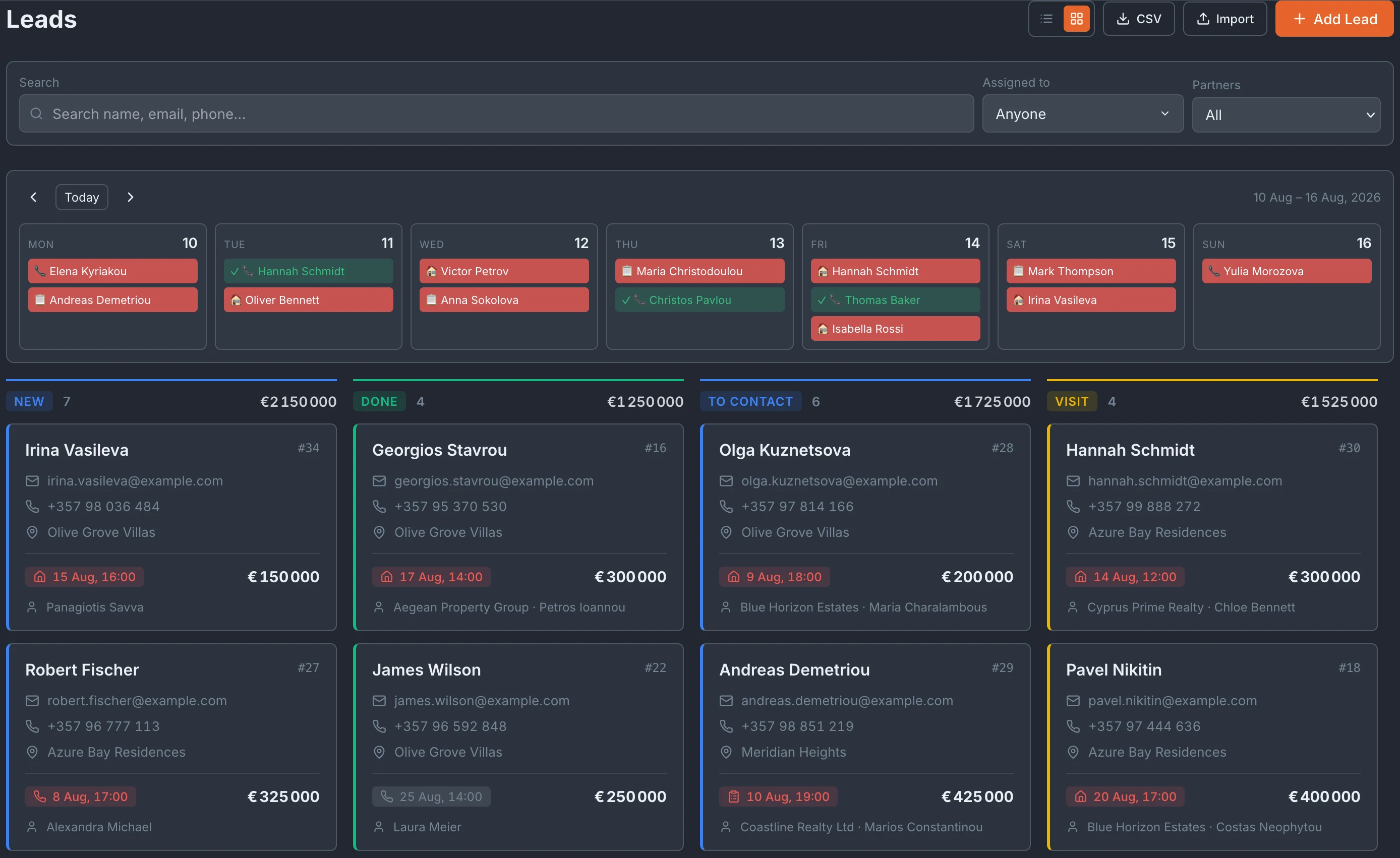
A kanban board that mirrors your sales process
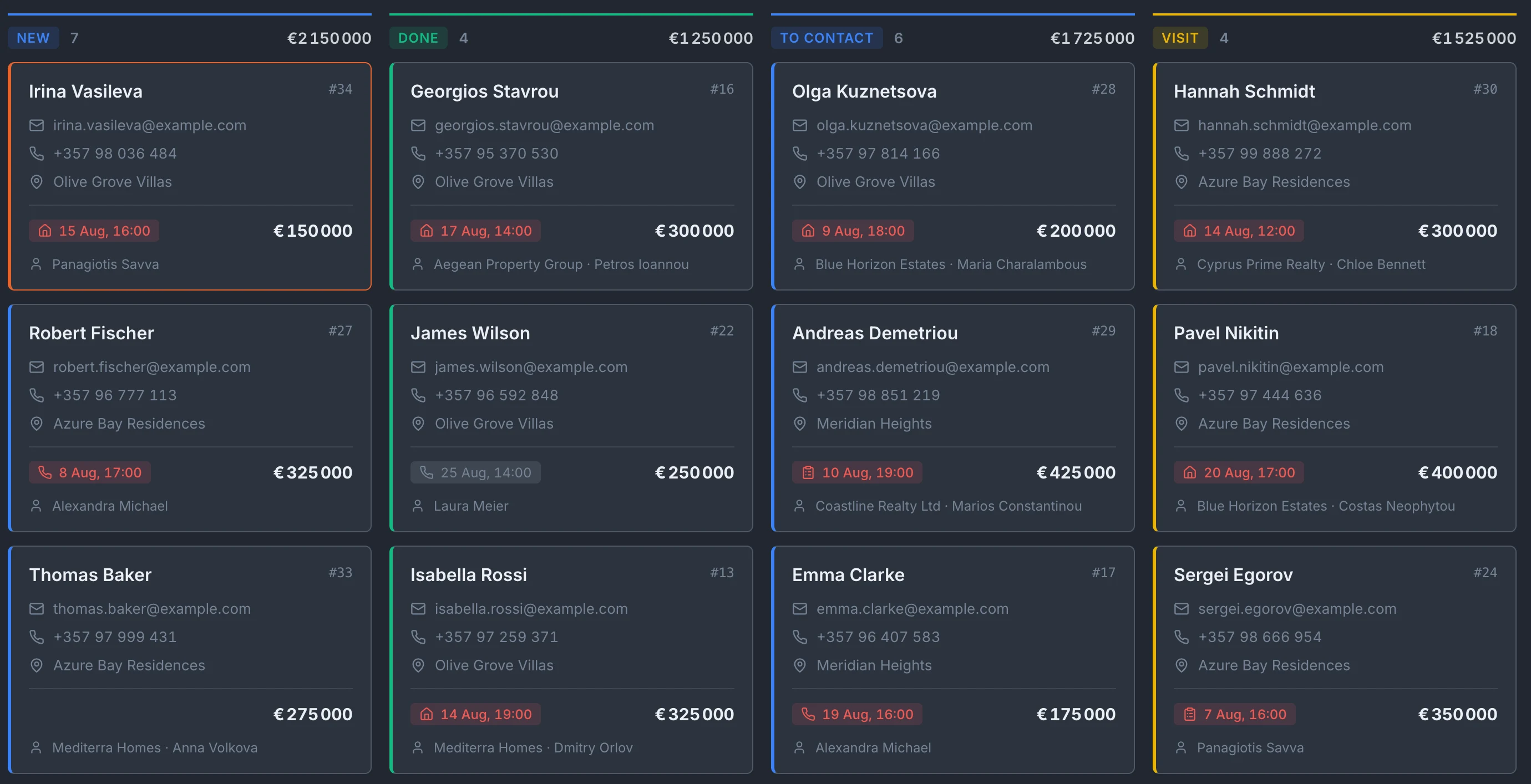
Leads live on a kanban board, one card per enquiry, grouped into the stages your team actually uses. Each column shows how many leads sit in that stage and their combined budget value — so you can see, at a glance, how much pipeline is sitting in "To contact" versus how much has reached "Done". The stages are entirely yours to define. Rather than being locked into a fixed New → Contacted → Qualified flow, your company creates its own columns — as many as you want, named however you work. One developer runs New, To contact, Visit and Done; another builds a longer pipeline for a specific project. Drag a card between columns to update its stage as the lead progresses.
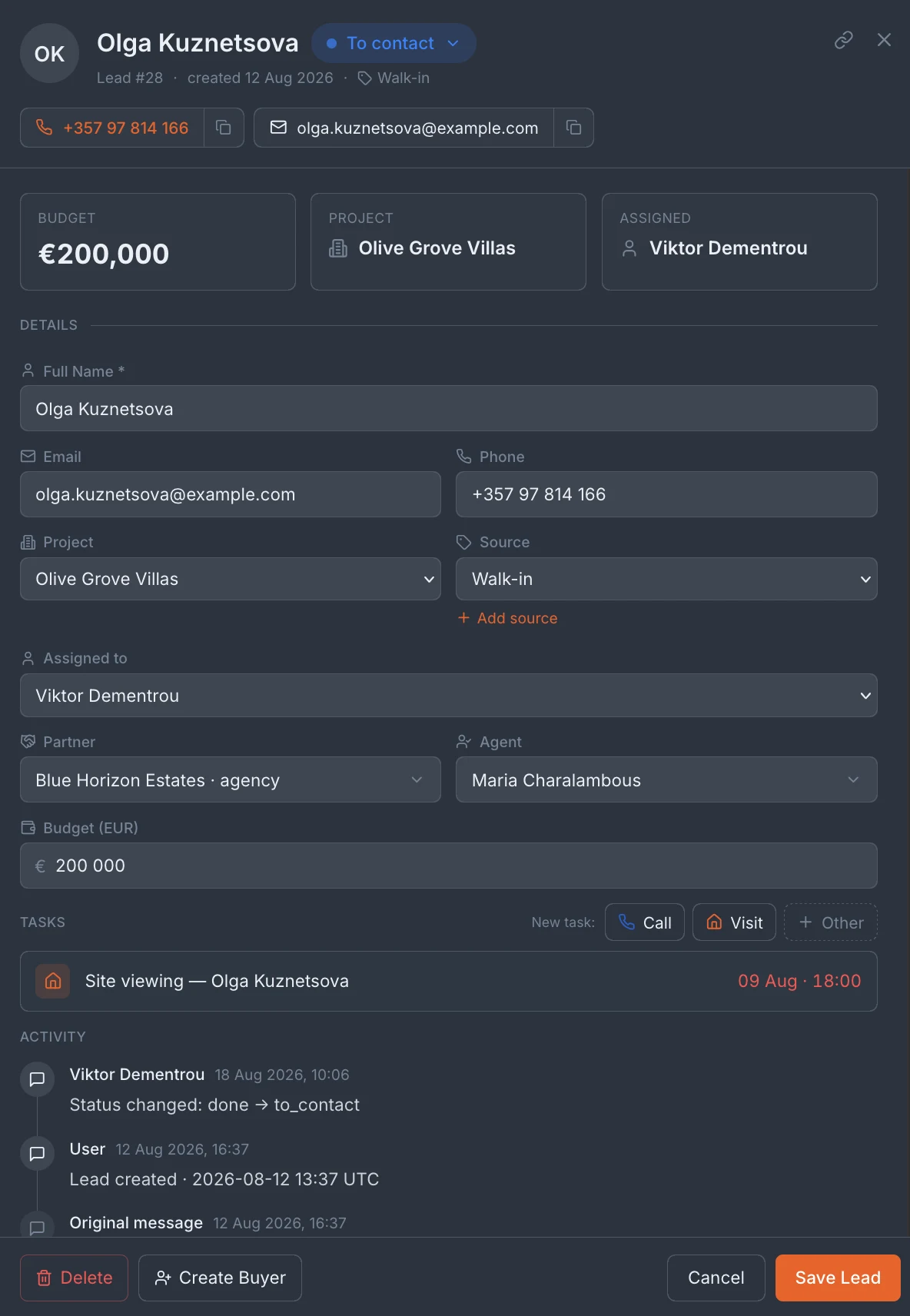
Everything about a lead on one card
Open a lead and you have the full picture on a single card: name and contact details, the project they're interested in, budget, the assigned salesperson, the partner and agent who referred them, and the source the enquiry came from. Contact details are one tap to call or copy, and the lead's original message is preserved in full — including enquiries in Russian from international buyers. Each lead keeps a running activity log — when it was created, the original enquiry message, system events and your team's own comments, in order. Anyone picking up the lead can read its whole history instead of asking around: what the buyer first said, who has spoken to them, and where the conversation stands. Add a comment and it joins the same timeline.
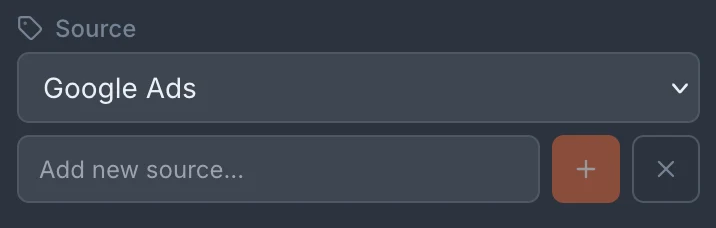
Capture your leads from all the sources
Every lead carries a source, and enquiries that come through your own channels are tagged automatically — a website form, a WhatsApp message, a Facebook campaign or a Google Ads enquiry arrives already attributed to the right channel, with no one having to remember where it came from. Over time the source field turns your lead list into a clear read on which marketing spend is actually producing enquiries for each project.
Call, Viewing and Task — three kinds of follow-up
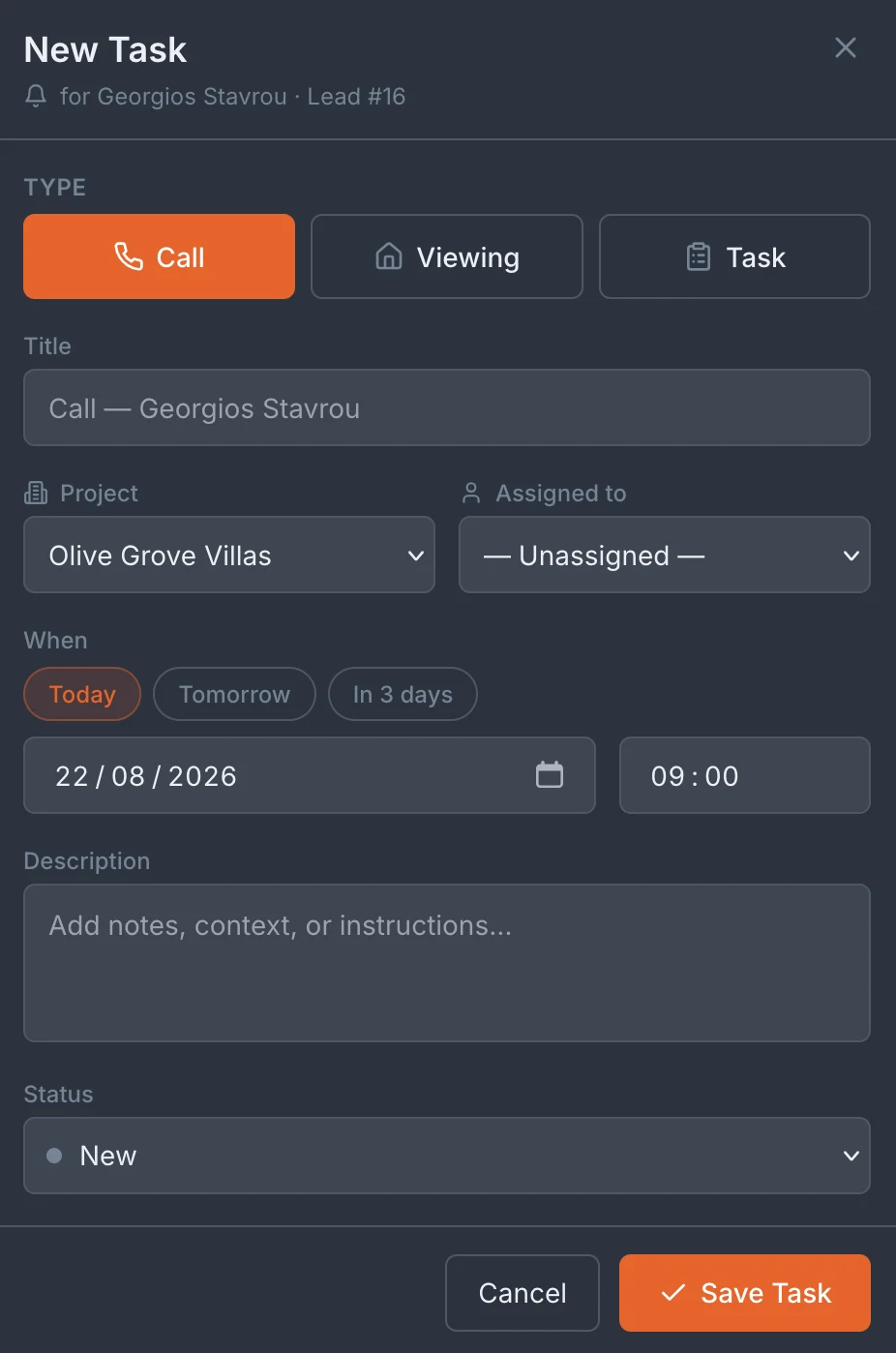
Every lead can have follow-up tasks attached, in three types: a Call, a Viewing (a site visit) and a general Task. Each task has a title, an owner, a due date and time, and a description — so a booked viewing or a promised call-back is never left to memory. Tasks belong to the lead, so the next person to open the card sees exactly what's been scheduled and what's outstanding.
Convert a qualified lead into a buyer
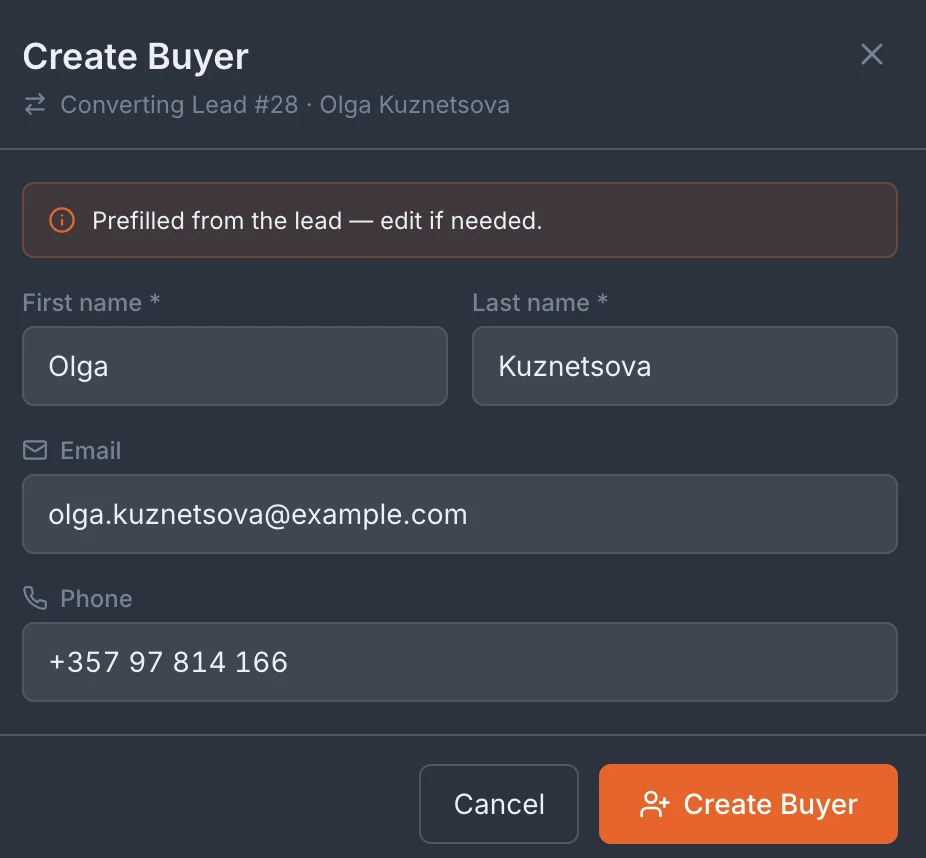
When a lead qualifies and commits to a unit, turn them into a Buyer with a single action from the lead card. Their name, contact details, source and history carry across to the Buyers CRM automatically — no re-entering data, no copy-paste between systems. The enquiry that started as a WhatsApp message ends up as a buyer record with its full origin story intact.
A weekly calendar of everything that's due
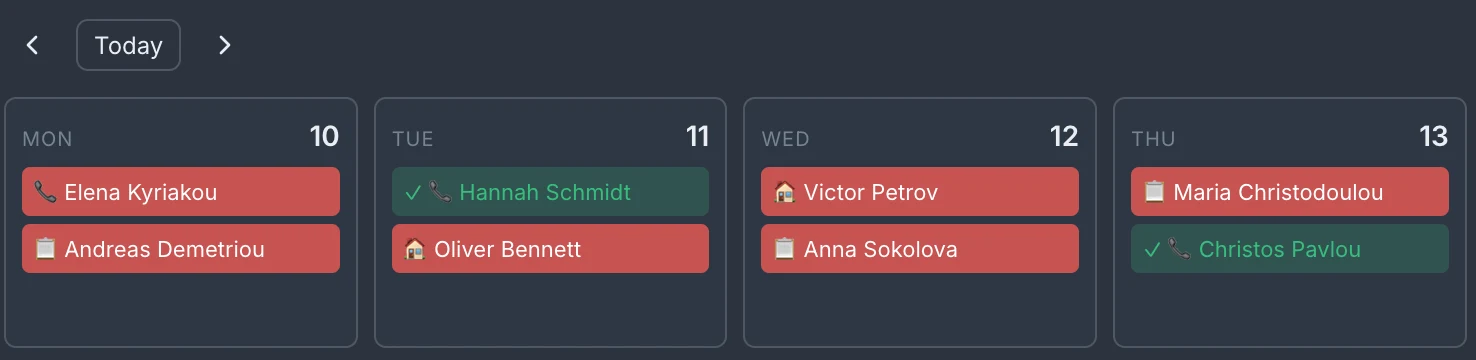
Above the board sits a week view — Monday to Sunday — showing every scheduled task across your leads, colour-coded by status so overdue follow-ups stand out immediately. Step forward or back a week, or jump to today, to see the calls and viewings your team has booked. It turns a pile of individual reminders into one clear picture of the week ahead.
Frequently asked questions
Can I customise the pipeline stages?
Yes. The lead board's stages are yours to define — you set the columns that match how your team sells, rather than being locked into a fixed pipeline.
What kinds of follow-up tasks can I set on a lead?
Three types: a Call, a Viewing (site visit) and a general Task — each with an owner, due date and description, shown on the lead card and in the weekly calendar.
Can multiple team members manage leads simultaneously?
Yes. Leads are shared across your team with role-based access, and each lead can be assigned to a specific salesperson for follow-up.
Is there a limit on the number of leads per project?
No limit.
Book a free 30-minute demo
Real screens. Your project type. No slides, no sales pitch.