
All your subcontractors. One register.
A development works with many subcontractors and suppliers — structural, MEP, facades, interiors, materials. Tektor keeps them in one register, Counterparties, with their contacts and bank accounts, and shows next to each one the money: how much is contracted, how much has been invoiced, and the balance. Those figures are not typed in — they are summed from signed contracts and approved invoices.
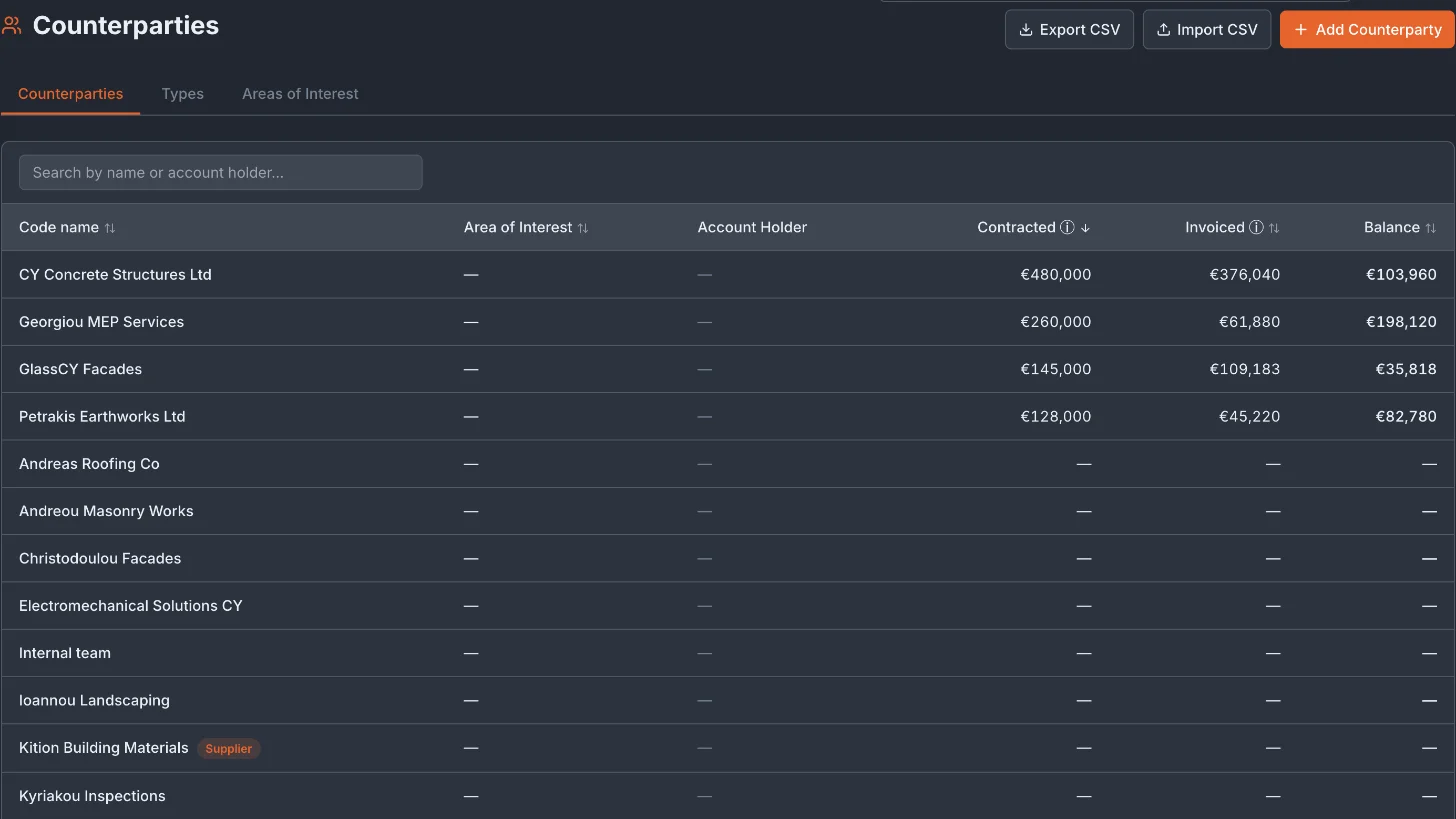
Contracted, Invoiced and Balance for every counterparty
Contracted is the sum of the signed contracts and variations with that counterparty; a recurring contract counts for its whole duration. Invoiced is the sum of its approved invoices, minus credit notes. Balance is the difference, shown in red when more has been invoiced than contracted. Sort by any column to see where the open amounts are, or search by name or account holder.
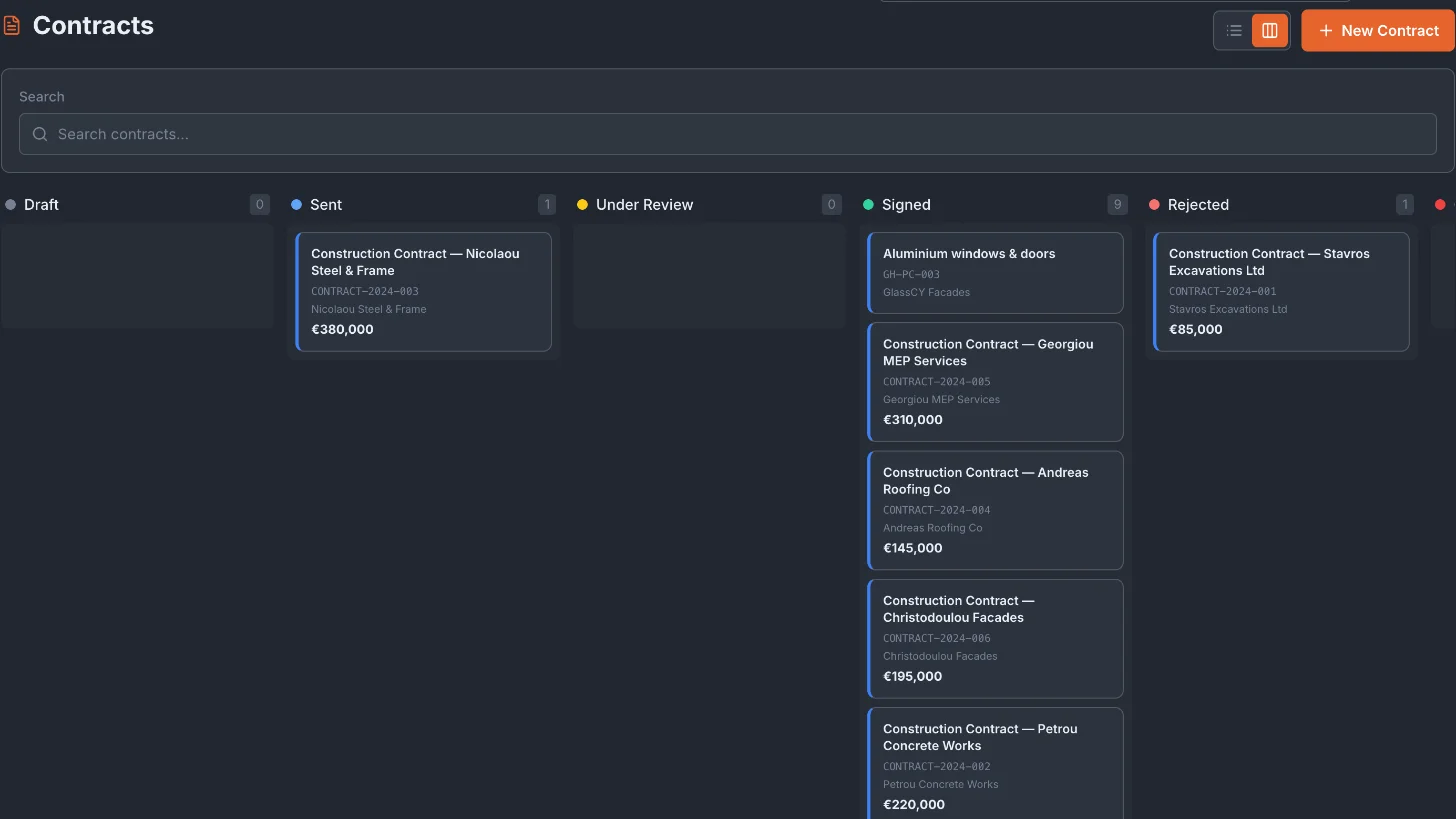
The money lives in contracts and invoices
Work with a subcontractor starts as a contract on the Contracts board — draft, sent, under review, signed. Staged works are certified in Certifications, with retention, withholding and VAT; bills arrive as invoices. Each contract and invoice names its counterparty, and the register adds them up — so the amounts are entered once, where the paperwork is.
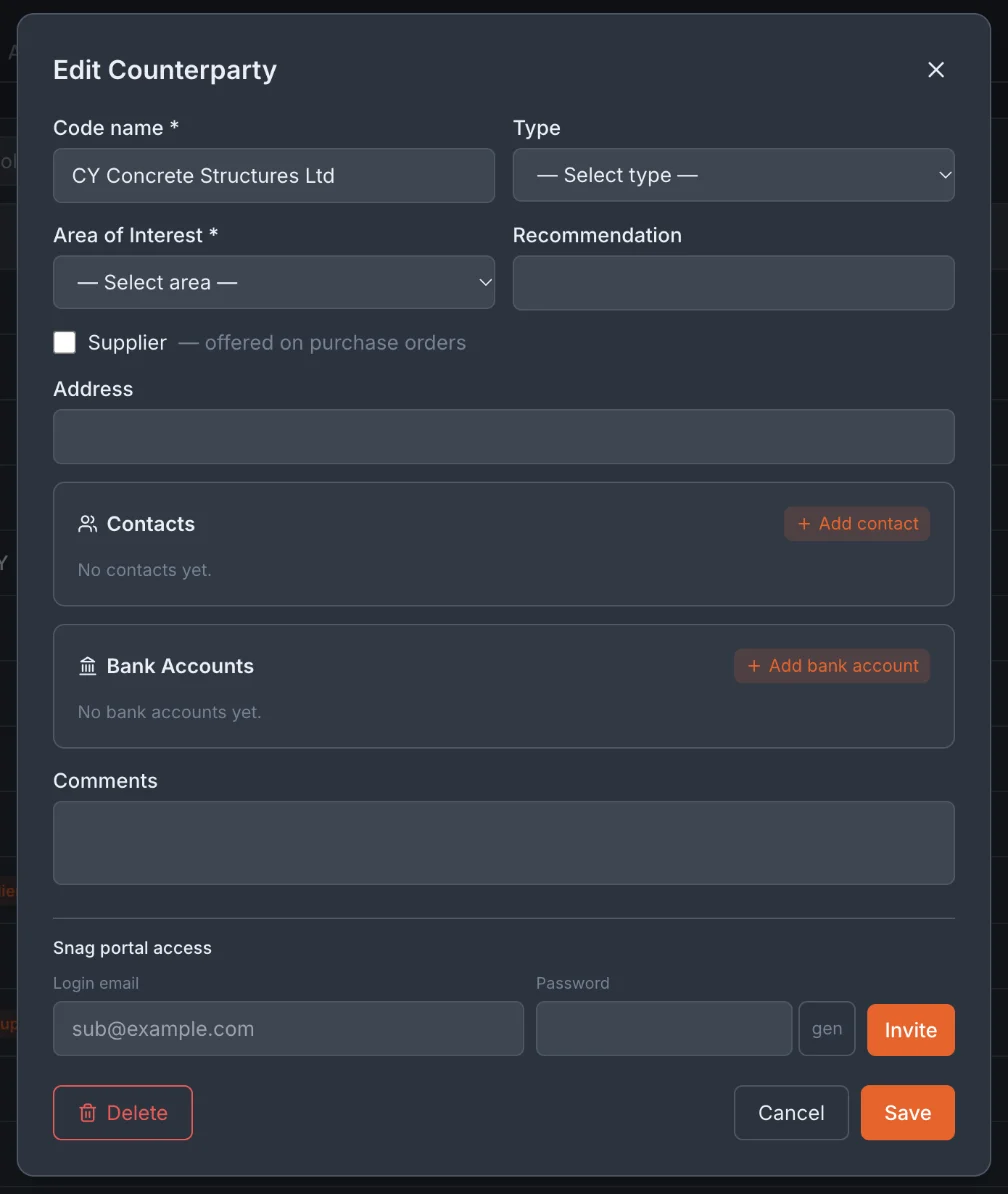
Contacts, bank accounts and a snag login
A counterparty card holds its type and area of interest, address, any number of contacts (phone, email, Telegram) and bank accounts (IBAN, BIC/SWIFT). Mark a counterparty as a supplier and it is offered on purchase orders in Procurement. From the same card you can invite a subcontractor to the snag portal, where they see only the defects assigned to them. The register imports from and exports to CSV.
Frequently asked questions
How many subcontractors can I add?
There is no limit. Subcontractors and suppliers share one register; the Supplier mark is what makes a counterparty available on purchase orders.
Can I see how much of a contract has been invoiced?
Yes. The register shows Contracted, Invoiced and Balance for each counterparty, from signed contracts and approved invoices. Staged payments to subcontractors go through Certifications, with retention, withholding and VAT applied per contract.
Is the register linked to the construction schedule?
No. Phases do not carry subcontractors or budgets: who does the work and for how much lives in contracts. The schedule holds the dates, and each phase's permit, block and floor.
Can subcontractors log in to Tektor?
Only to the snag portal, by your invitation from their card. There they see and work on the defects assigned to them — nothing else.
Book a free 30-minute demo
Real screens. Your project type. No slides, no sales pitch.