
Budget, contracts and cash. One screen per project.
A development's money is spread across a budget, a set of contracts, monthly certifications, invoices and payments — and usually across as many spreadsheets. Tektor's Budget & Finance screen reads all of them for one project at a time: how much of the approved budget is contracted, how much of that is certified and paid, what cash has come in and gone out, and what falls due in the months ahead. Every figure comes from records your team already keeps in Tektor.
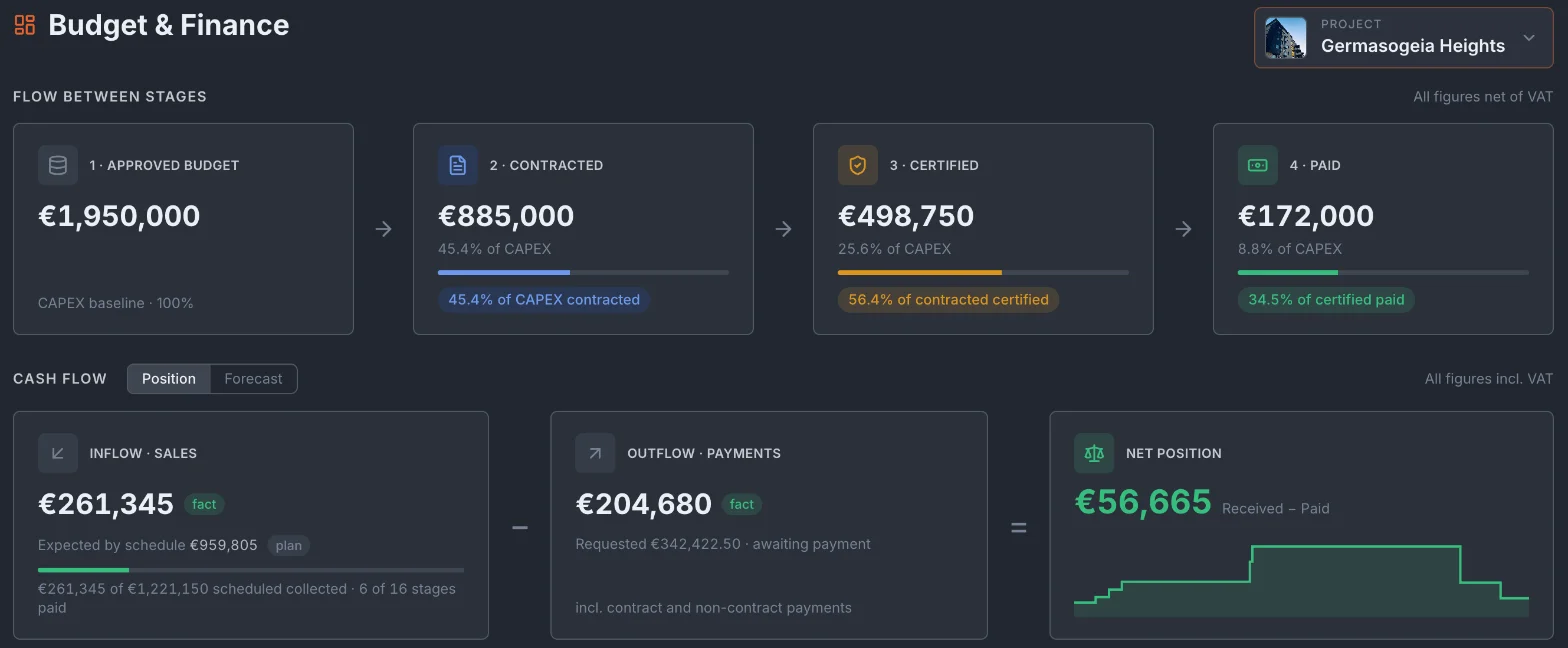
From approved budget to paid, in four stages
The top of the screen follows the money through four stages: the approved CAPEX budget, what is contracted, what is certified and what is paid — each with its share of the budget and of the stage before it, net of VAT. Below it, the cash flow position sets what buyers have paid against what you have paid out, with the net position over time and the payments requested but not yet made. Further down, a contracts table shows each contract's contracted, certified, paid and due amounts, and a certifications table shows every certificate with its status and sign-offs.
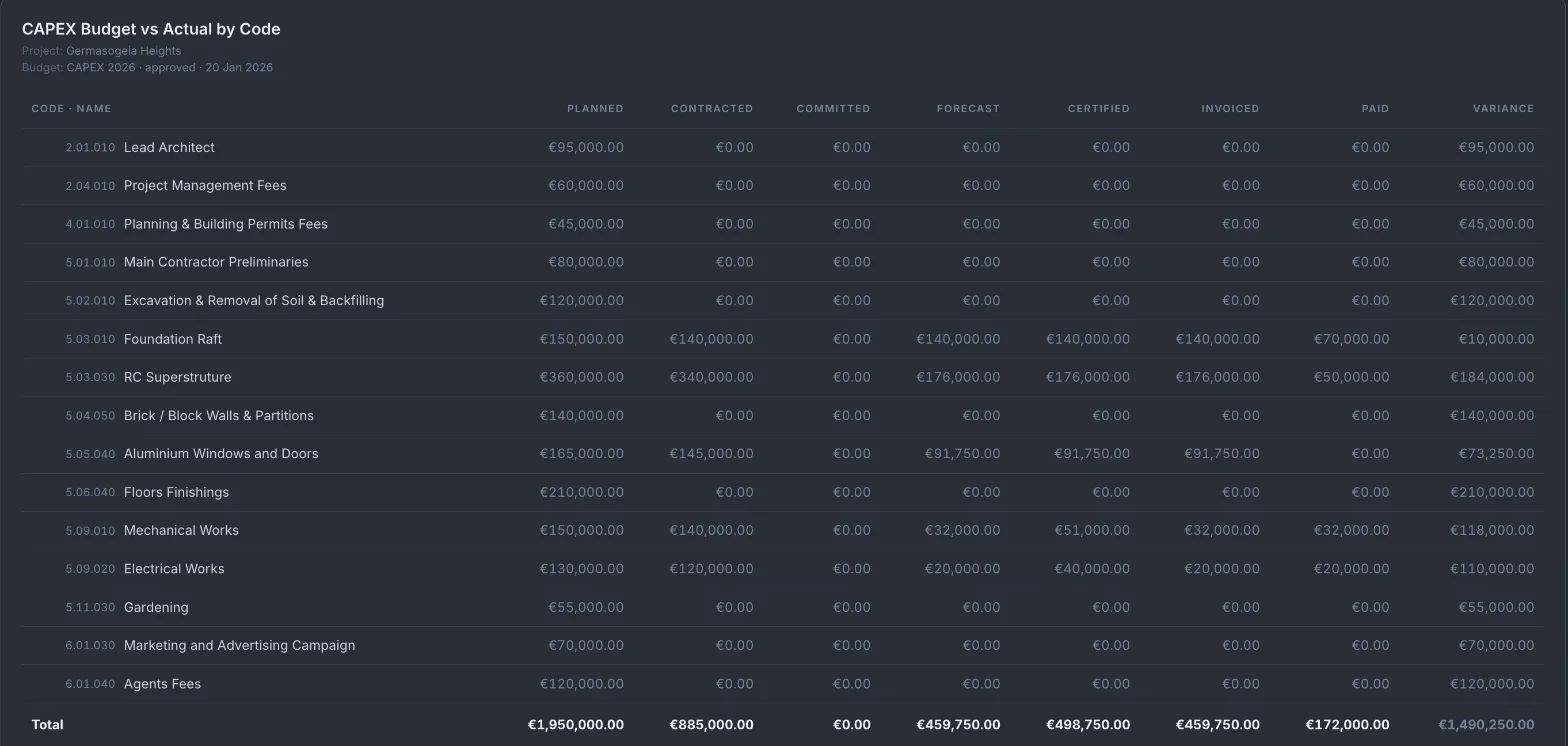
Budget vs actual, code by code
CAPEX Budget vs Actual by Code puts the budget next to everything recorded since: planned, contracted, certified, invoiced and paid for each budget code, and the variance — planned minus invoiced, in red when a code is over budget. With procurement switched on, open purchase orders appear as committed spend. Amounts without a code are kept in a row of their own, so the total always adds up.
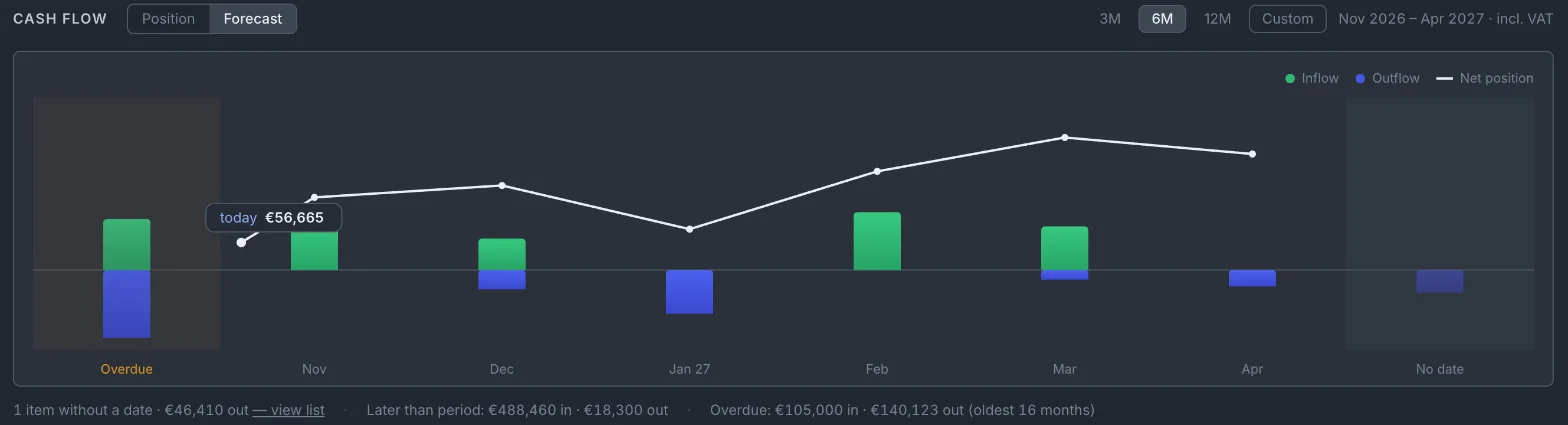
Cash flow forecast by month
Switch the cash flow to Forecast to see the months ahead: money expected from buyers' payment stages and sales invoices, money going out for certified work that is due, requested payments, purchase invoices and open purchase orders, and a net position line that starts from today. Choose 3, 6 or 12 months or your own range. Overdue amounts and items without a date get columns of their own, so they stay in view.
Frequently asked questions
Where do the figures come from?
From what your team records in Tektor: the approved budget from Budget Planning, contracts and their amendments, certifications, invoices and payments. Nothing is typed into the dashboard itself.
Does it link to subcontractor payments?
Yes. A payment recorded against a contract or a certification counts as paid and appears in the cash flow. The contracts table on the same screen shows what is still due on each contract.
Can I see several projects at once?
Budget & Finance shows one project at a time — switch projects with the picker in the top right. Each colleague sees only the projects they have access to.
Which budget does it compare against?
The project's newest approved budget. If none is approved yet, it uses the newest draft or submitted one and labels it. Earlier versions stay in Budget Planning with their revision history.
Book a free 30-minute demo
Real screens. Your project type. No slides, no sales pitch.