
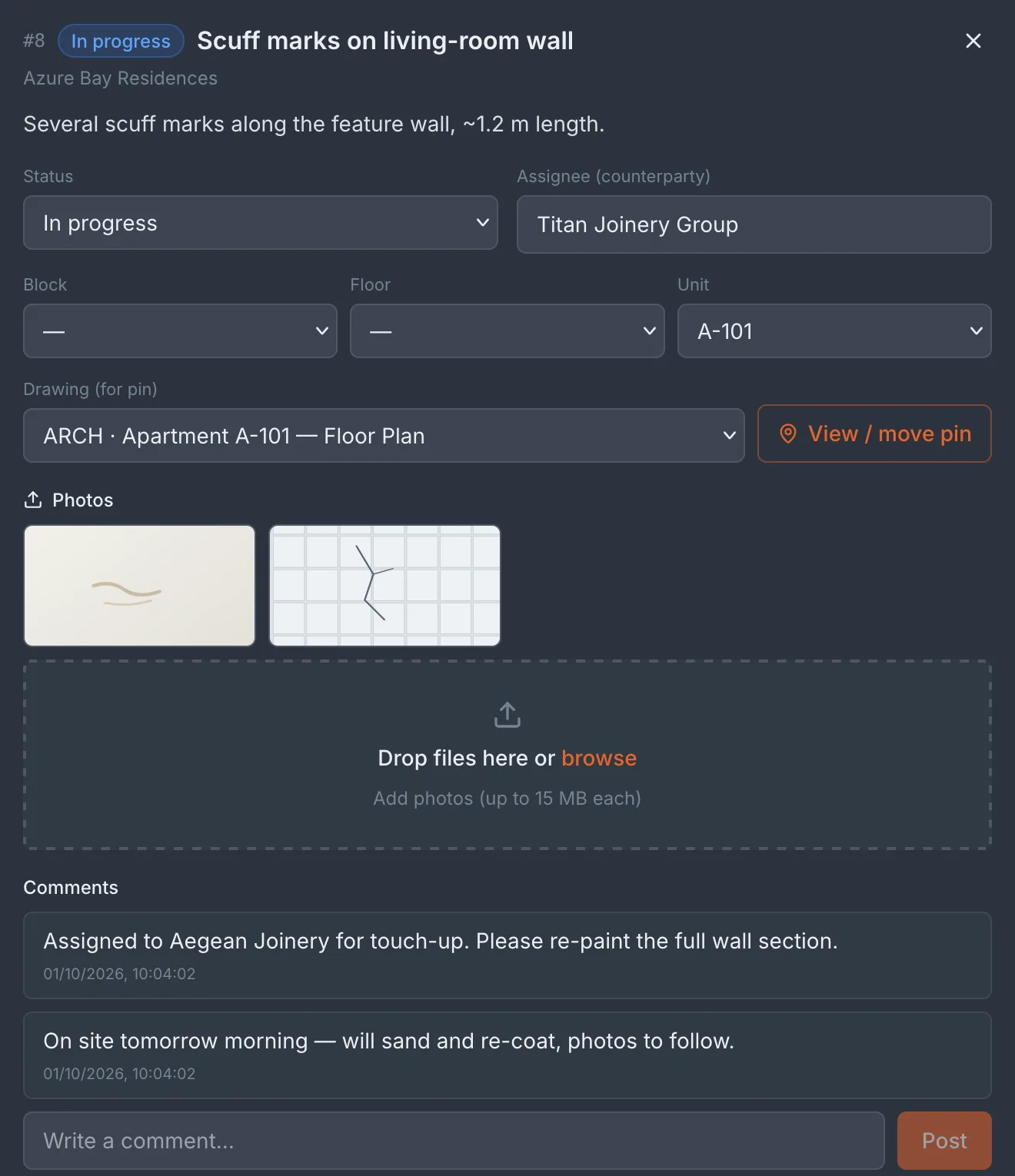
Mark the defect. On the drawing. Track it to done.
Snagging today lives in WhatsApp photos and Excel lists — nobody can tell where exactly the defect is, whether it has been fixed, or who owns it, and the buyer's complaint is vague. Tektor lets you drop a pin on the exact spot of the apartment's drawing, add a photo and a comment, and move the defect through statuses to closed — across two flows: a buyer accepting their apartment at handover, and you accepting a subcontractor's work.
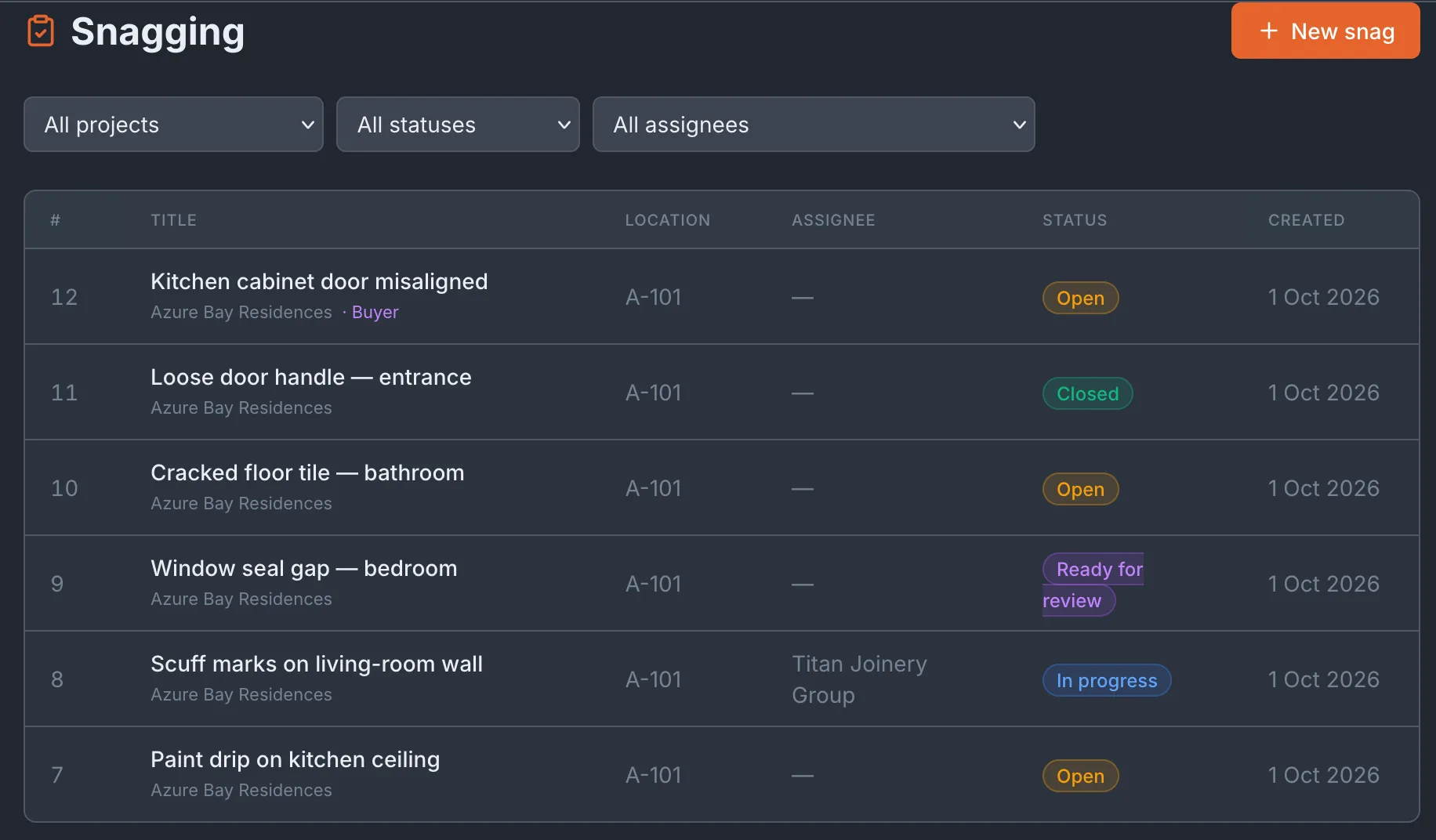
Pin the exact spot on the drawing
Open the apartment's drawing and drop a pin exactly where the problem is — a bad parquet board, a crack, an unfinished edge. The pin's colour is its status, so the floor plan itself shows you where open defects still remain. No drawing for that unit? The defect is still logged — a photo and a description are enough.
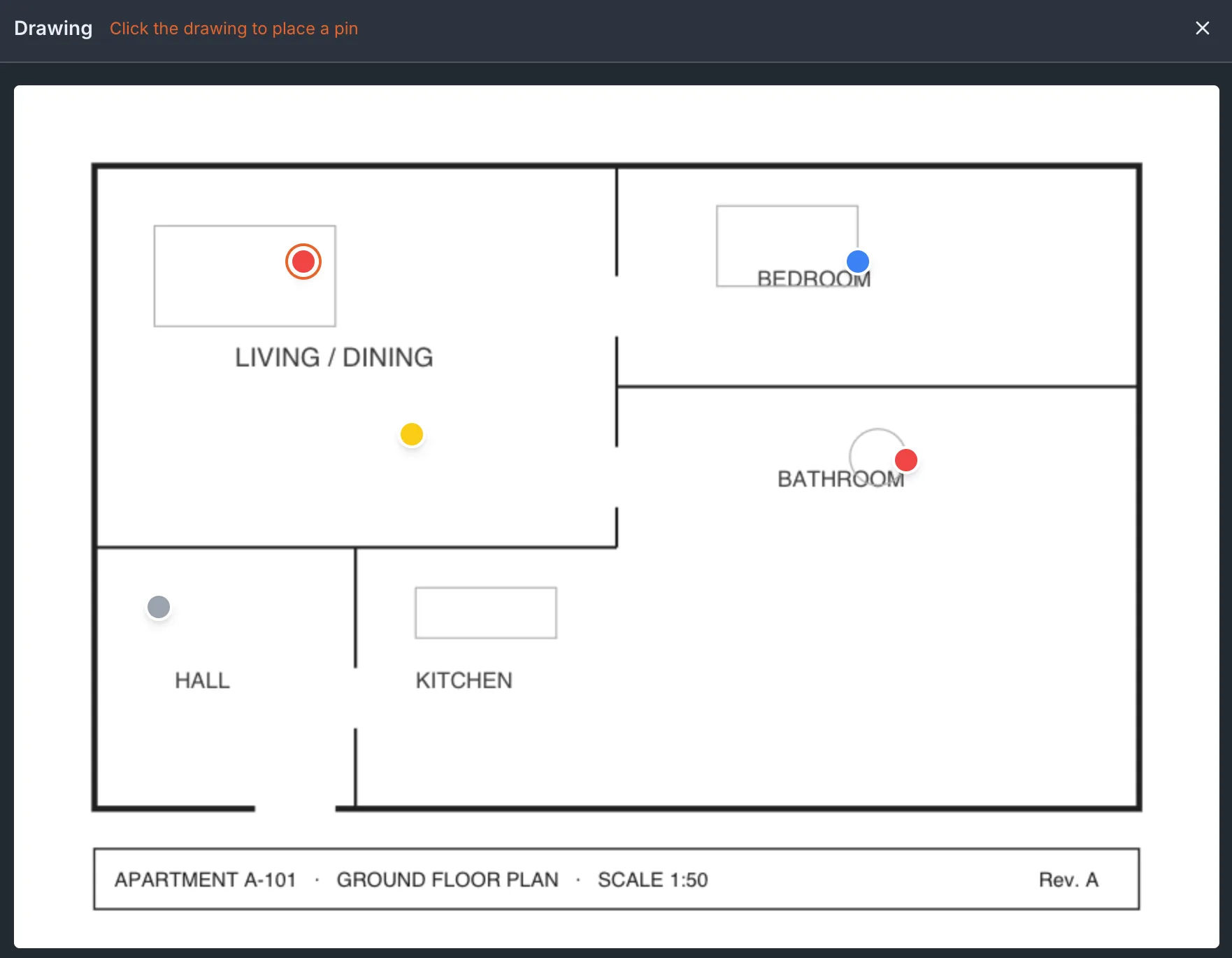
Two flows: buyer handover and work acceptance
At handover, the buyer marks defects themselves from the Buyer Portal, and your team works through them. The reverse flow works the same way: when you accept a subcontractor's work, you raise defects against them — and the subcontractor sees only the ones assigned to them, nothing else.
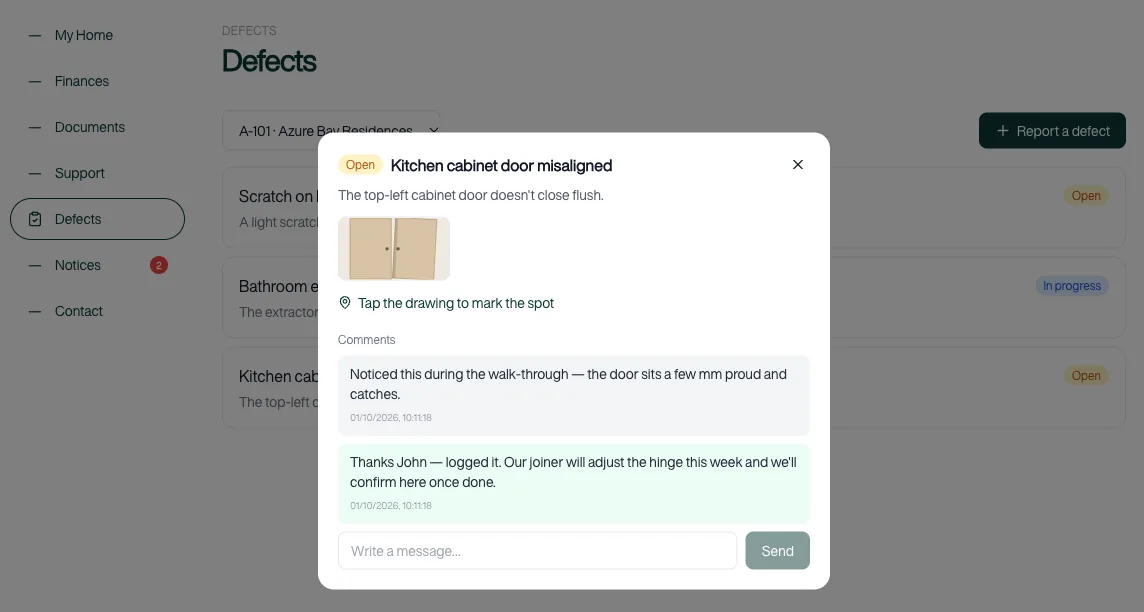
Track every defect to done
Every defect carries a status — open, in progress, ready for review, closed — along with its photos and a comment thread between the two sides. Nothing is lost, and every change is kept with its history, so a defect raised at handover can still be accounted for months later.
Frequently asked questions
Who can create a defect?
Your staff create defects inside Tektor, and buyers can raise them themselves through the Buyer Portal at handover. Every defect records who created it, so the origin of each item is always clear.
Do we need a drawing to log one?
No. A drawing makes a defect precise — you pin it to the exact spot — but it is optional. A photo and a description are enough to log a defect, and you can attach it to a drawing later.
Can subcontractors use it?
Yes, but with strict scoping: a subcontractor sees only the defects assigned to them, never the full list. They work their assigned items through to ready-for-review, and your team closes them.
Which drawings can I pin on?
Any PDF drawing attached to the project, block, floor or a specific apartment. Multi-page drawings are supported, so you can pin a defect to the right sheet of a multi-sheet set.
Book a free 30-minute demo
Real screens. Your project type. No slides, no sales pitch.