
Every phase. Every deadline. One Gantt.
A development is built phase by phase — site preparation and foundations, frame, MEP, finishes, handover. Tektor keeps the plan and what really happened on site in one table with a Gantt chart next to it, so the office and the site look at the same dates.

Plan and fact on one timeline
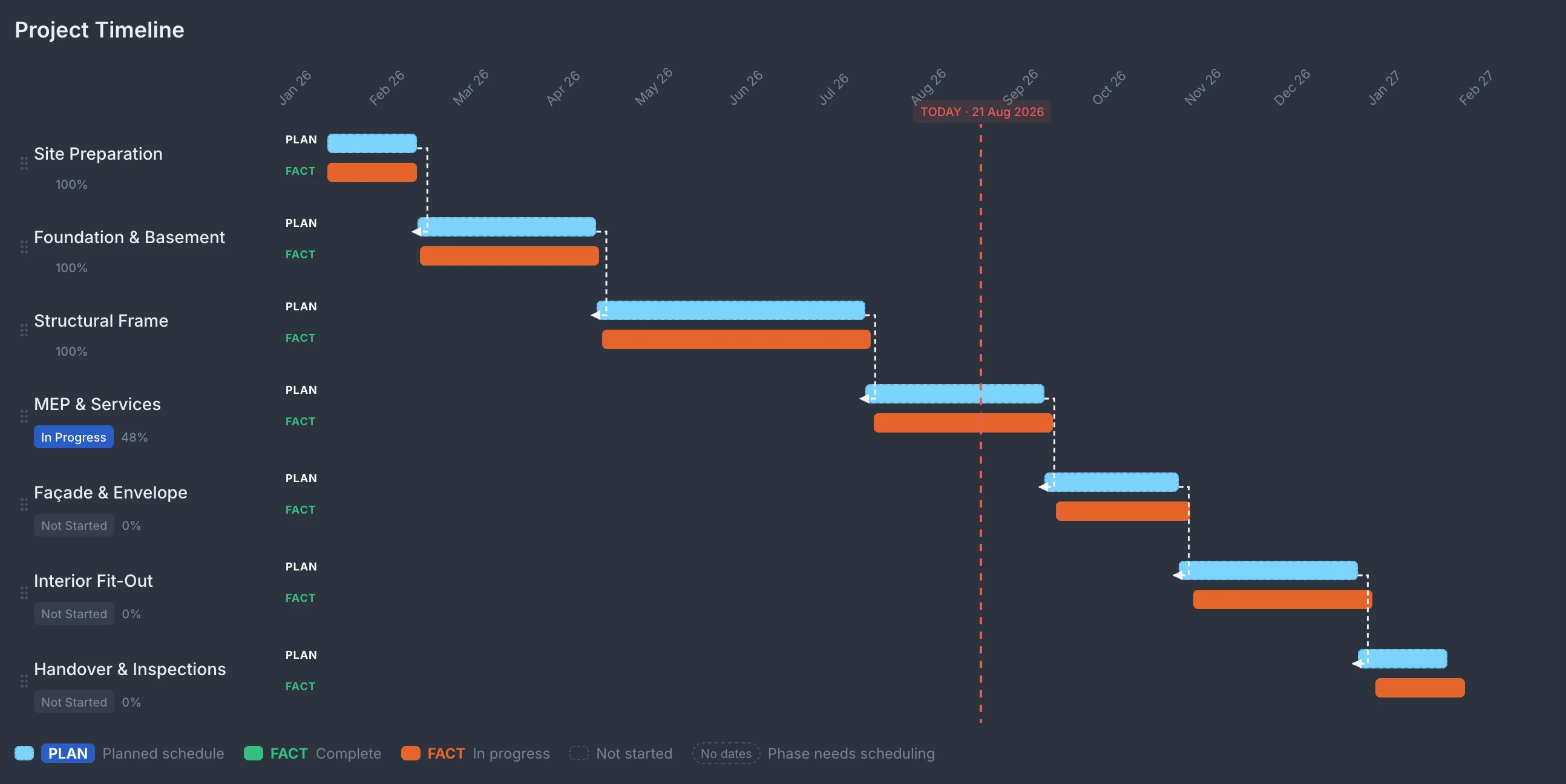
Every phase has two bars: the plan in blue and, under it, the fact — green once the phase is complete, orange while it is in progress. A Today line shows where the project stands. A phase that starts before its predecessor finishes gets a red conflict mark, and a phase can be marked Delayed. The whole project reads at a glance, without a report.
Edit in the table; the phase knows its permit, block and floor
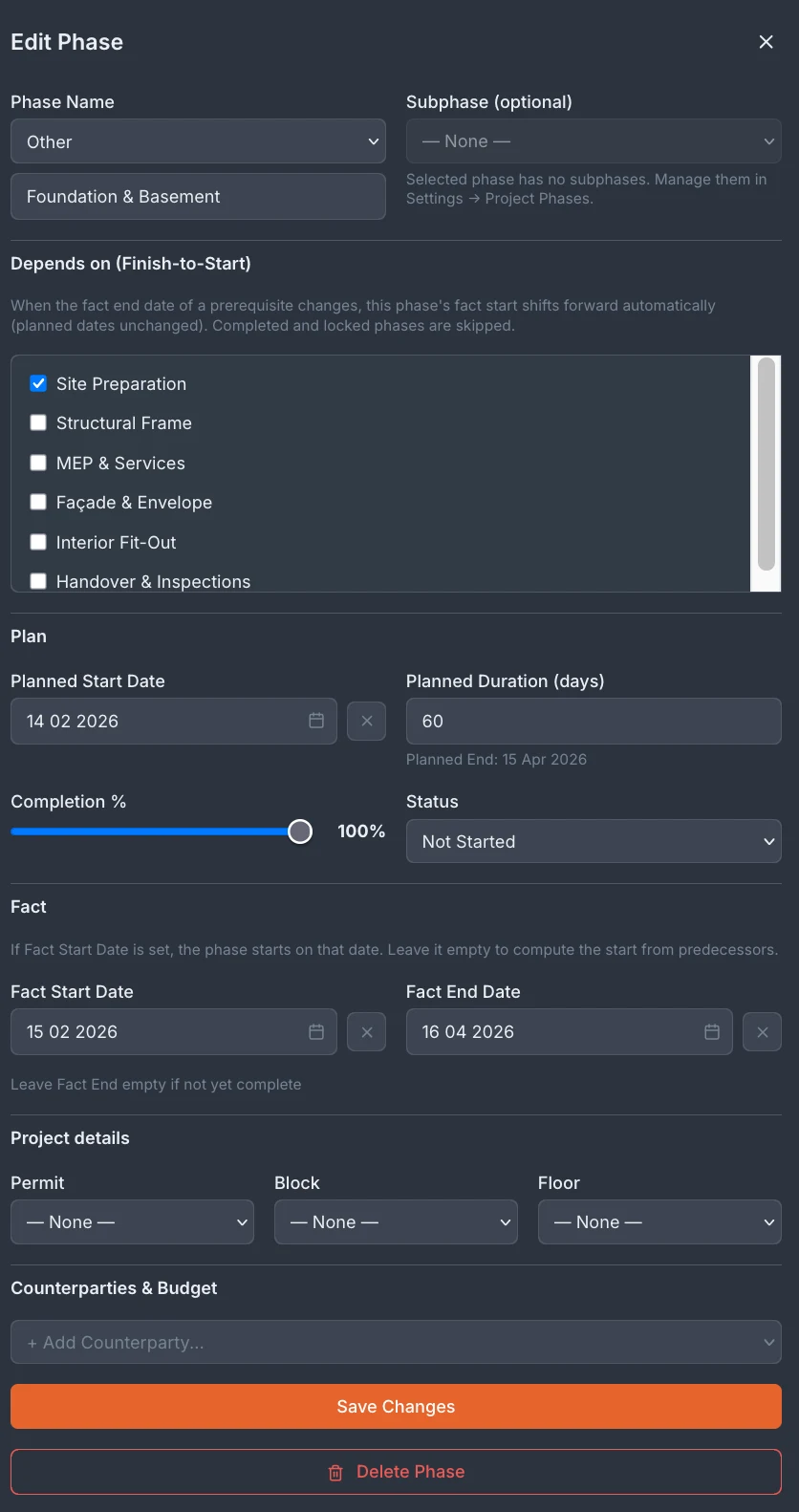
Status, %, planned and actual dates, duration and predecessors are edited right in the table and saved at once. Move a linked phase and Tektor shows which phases depend on it and offers to shift them, saving the old plan as a revision first. Phase details holds the permit, block and floor the phase belongs to. A phase can also set when buyers pay: when a sale's payment stage is tied to a phase, the phase's actual finish sets the due date. Who works on a phase and for how much is not kept in the schedule — that lives in contracts and procurement.
Multiple projects, one view
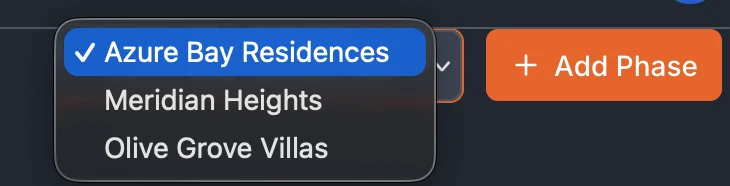
Switch between projects with the picker in the top right. Whether you're running a villa development in Paphos, an apartment block in Limassol or a commercial project in Nicosia — every schedule is in the same place.
Frequently asked questions
How many construction phases can I track?
There is no limit, and a phase can have subphases. Your company keeps a list of typical phases — for example Site Preparation, Foundation & Basement, Structural Frame, Roof & Waterproofing, MEP, Façade, Interior Finishing and Handover & Inspections — and Tektor suggests those names as you type.
Can subcontractors update their own phase progress?
No. The schedule is kept by your team in Tektor. Subcontractors can log in only to the snag portal, where they see the defects assigned to them.
Does the Gantt link to the budget?
No — phases do not carry budgets. Costs are planned by budget code in Budget Control, and what you owe a subcontractor comes from contracts, certifications and invoices. On the buyer side the schedule does drive money: a phase's actual finish sets the due date of the buyer payment stages tied to it.
Can I use Tektor for construction management without the sales module?
Yes. BUILD and SELL modules work independently, though most developers use both to keep construction and sales synchronized.
Book a free 30-minute demo
Real screens. Your project type. No slides, no sales pitch.